
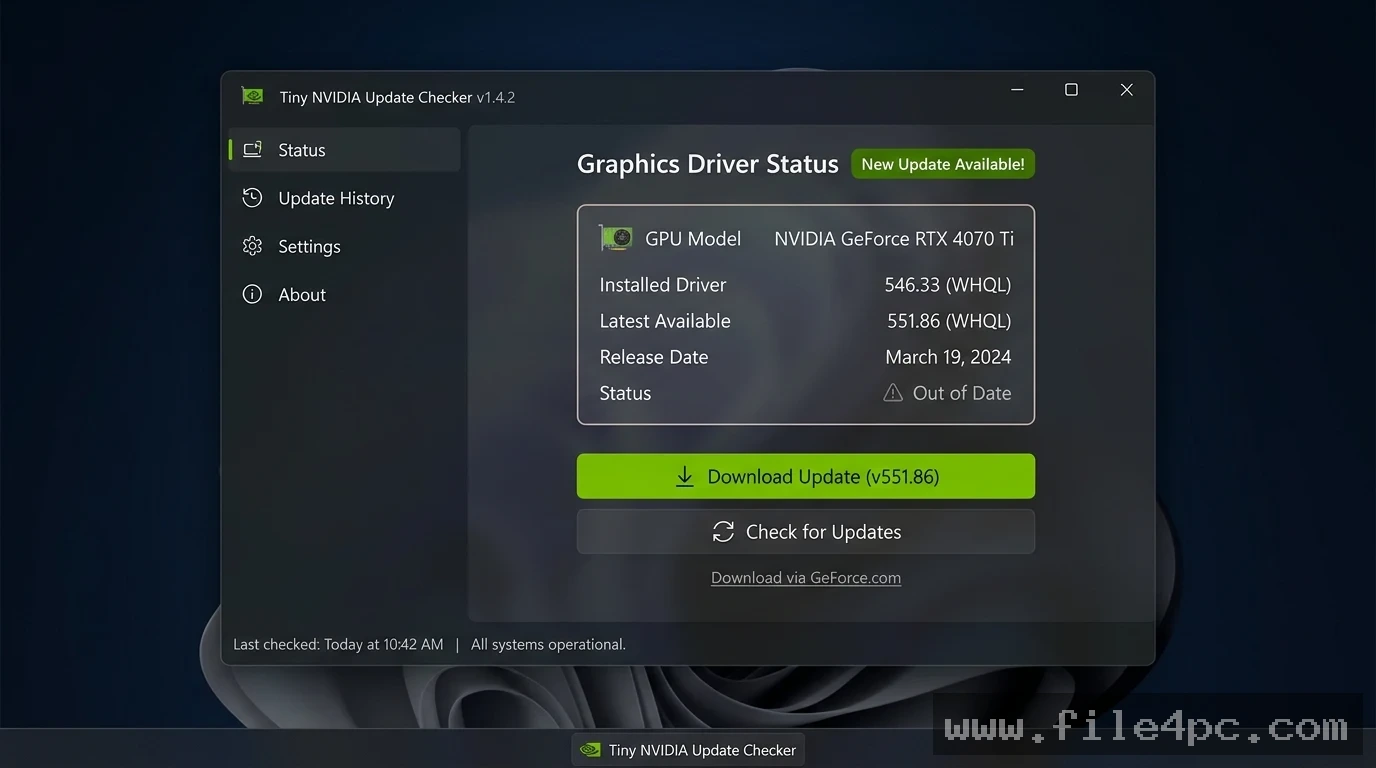
TinyNvidiaUpdateChecker PC Software (often referred to simply as TNYC) is an open-source command-line utility designed to check for NVIDIA GPU driver updates without requiring GeForce Experience or the NVIDIA App. Created by developer ElPumpo and hosted on GitHub, the tool queries official NVIDIA update APIs directly, compares the available driver version against your installed graphics driver, and notifies you when a newer version is released.
Operating locally on Windows desktops, the software targets PC gamers, system administrators, and privacy-conscious users who want to keep graphics drivers current while avoiding bloated background telemetry services, mandatory user accounts, or heavy desktop suites.
The project operates as an open-source tool. While active core development reached a mature maintenance state in its Version 2.x releases (such as version 2.2.4), its underlying HTML parsing and API query logic remain a staple resource for minimal software configurations.
Key Features
The application incorporates a lightweight, focused set of driver verification and automated download features.
Zero-Telemetry Driver Verification The primary function of the utility is to verify graphics driver status without tracking user habits. Unlike proprietary software control panels that collect system usage metrics or require user logins, this program queries public driver endpoints directly and anonymously.
Direct HTML/API Parsing Engine The program identifies your GPU model, system architecture (64-bit Windows 10 or Windows 11), and installed driver build. It parses NVIDIA's public driver release pages to determine if an update is available for your specific hardware line (GeForce, Quadro, or RTX workstation GPUs).
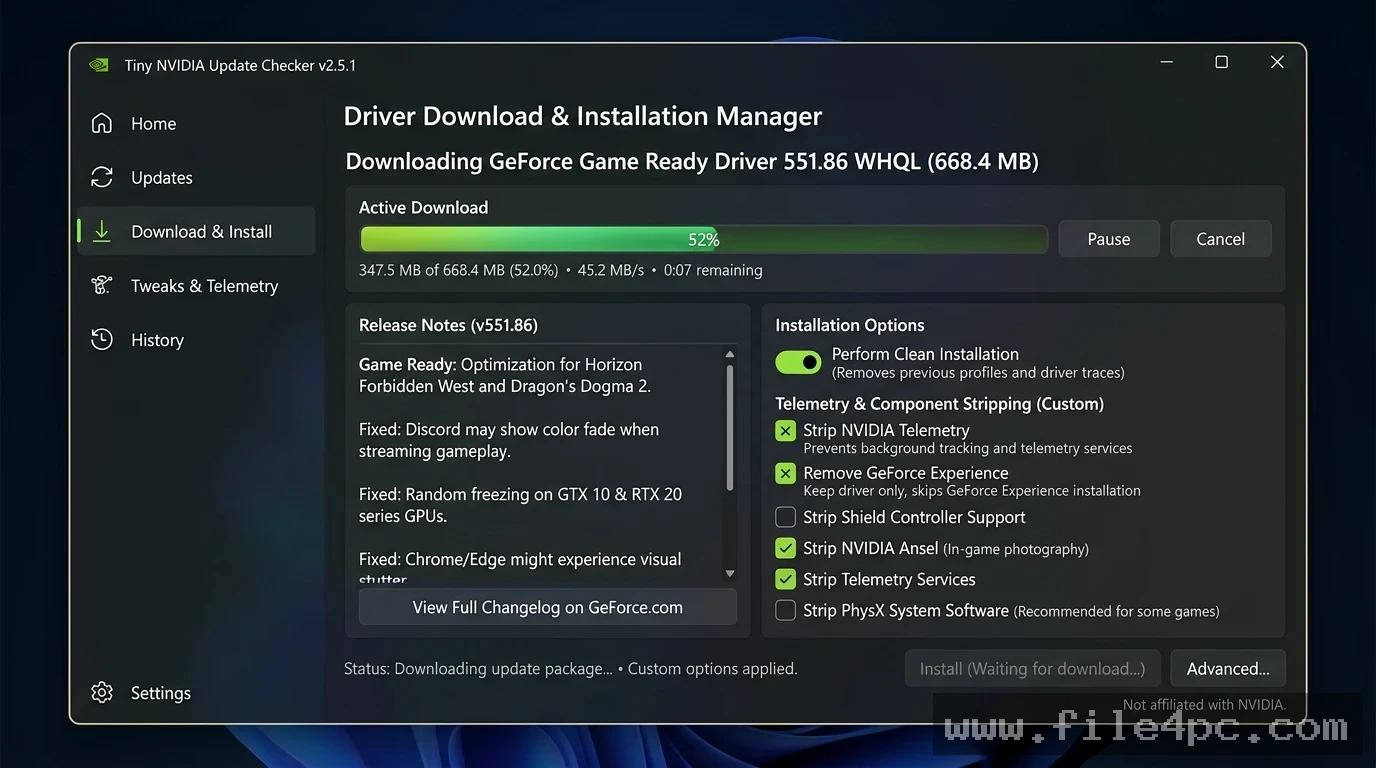
Automated Download and Silent Installer Launch When a newer driver build is detected, the utility offers to download the official installer directly from NVIDIA servers. Users can configure the tool to launch the installer automatically or save the package to a local directory for manual extraction.
Minimal Resource Footprint Because it runs as a lightweight console application or automated background task, the executable consumes less than 5 MB of disk space and zero persistent background RAM when idle.
Your May Also Like :: Mozilla Thunderbird PC Software
Configurable Startup and Task Scheduler Integration Users can configure the utility to run automatically via Windows Task Scheduler. Setting the task to run silently at system boot or on a weekly schedule ensures you receive driver update prompts without running persistent tray icons.
How TinyNvidiaUpdateChecker PC Software Works
The operational workflow flows logically from system hardware inspection to driver package acquisition.
To begin, you open a terminal window or launch the executable file directly. The application queries the Windows operating system via Display Driver Uninstaller (DDU) hooks, WMI, or local registry keys to detect your GPU model name and active driver version number.
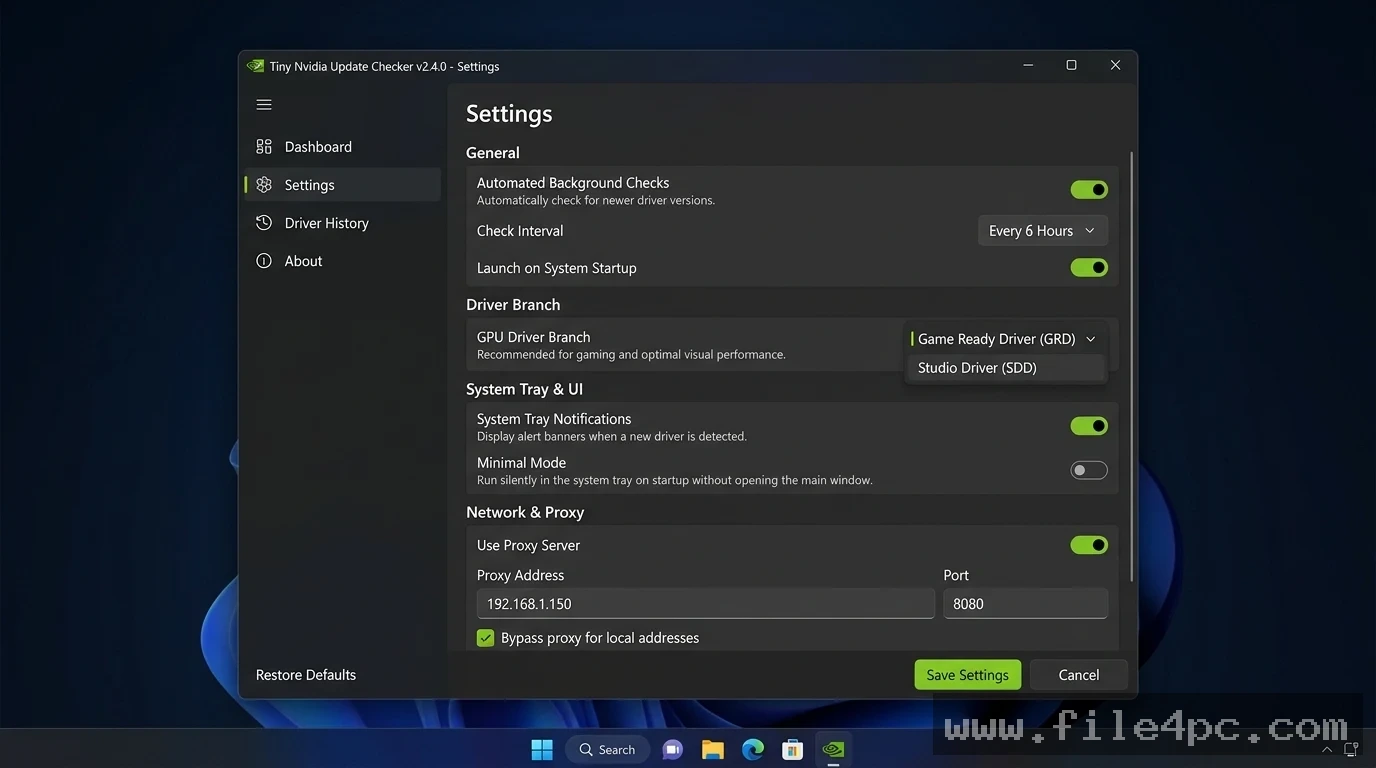
Next, the software sends an encrypted web request to official NVIDIA query servers. It evaluates whether a newer Game Ready Driver (GRD) or Studio Driver (SD) branch matches your operating system setup.
Finally, the console window displays your current driver build alongside the newest available version. If an update exists, the program prompts you to confirm the download. Upon confirmation, it fetches the official package (.exe) directly from NVIDIA storage servers and gives you the option to run the installer.
Benefits and Limitations
Weighing the software's lightweight design against its practical boundaries helps clarify its fit for your GPU maintenance routine.
Benefits
The main advantage is total freedom from background bloat and mandatory user registration. Eliminating the need to sign into an account to check for driver updates saves time and respects user privacy. Its tiny installation size and lack of background RAM usage ensure zero impact on gaming performance or system resources. Furthermore, being completely open-source guarantees transparent operation without hidden bundleware.
Limitations
The primary restriction is that it is a command-line interface (CLI) tool, which may feel less accessible to users accustomed to modern graphical user interfaces. Additionally, because NVIDIA occasionally alters its web API structures or download page HTML layouts, the software's parsing logic can require occasional manual script updates or configuration tweaks to ensure accurate driver detection.
What's New
The open-source community maintains the project repository as a stable, lightweight utility across modern Windows builds.
Verified factual aspects of its development lifecycle include:
-
Stable v2.x Architecture: The Version 2.2.4 release branch established consolidated parsing for Game Ready and Studio Drivers.
-
Modern Windows 11 Compatibility: Verified execution across 64-bit Windows 10 and Windows 11 systems.
-
Minimal Dependencies: Native support for modern Python runtimes and compiled standalone Windows executables (
.exe).
Installation and Setup
Setting up the application on a Windows PC involves a simple setup routine.
-
Visit the official open-source GitHub repository (
[github.com/ElPumpo/TinyNvidiaUpdateChecker](https://github.com/ElPumpo/TinyNvidiaUpdateChecker)). -
Navigate to the Releases tab and download the latest pre-compiled binary package (
TinyNvidiaUpdateChecker.exe). -
Place the executable in a dedicated folder on your local drive (such as
C:\Tools\TNYC). -
Double-click the executable to run an initial manual driver check.
-
Optional: Open Windows Task Scheduler, create a new task that runs
TinyNvidiaUpdateChecker.exeat log-on, and enable silent background checking.
Safety Warning: Always download open-source executable utilities directly from official GitHub releases or verified developer repositories. Avoid downloading executable files from random third-party mirrors.
Tips for Using TinyNvidiaUpdateChecker PC Software
Pair the utility with NVCleanerstall for an completely bloat-free NVIDIA setup. Use TNYC to notify you when a driver is available, and then use NVCleanerstall to customize the installer by stripping out unwanted components like Telemetry, Shield Wireless Controller services, or GeForce Experience modules before installing.
Configure the software configuration file (config.json or .ini) to specify your driver preference. You can explicitly select between Game Ready Drivers (optimized for day-one game launches) or Studio Drivers (optimized for creative applications like Adobe Premiere Pro and DaVinci Resolve).
Run the application inside a scheduled Windows task with the --silent argument if you want background checks without seeing console popups unless a new driver version is found.
Modern Alternatives
Depending on whether you prefer full official suites, custom installer builders, or general driver managers, several alternatives exist.
NVIDIA App (and legacy GeForce Experience) is the official control panel software provided by NVIDIA. It provides automatic driver updates, game optimization settings, ShadowPlay screen recording, and performance overlays. However, it requires a larger disk footprint, background RAM usage, and telemetry background processes.
NVCleanerstall (by TechPowerUp) is a popular third-party tool for custom NVIDIA driver installations. It allows users to check for driver updates and completely customize which sub-components (such as PhysX, HD Audio, or USB-C drivers) are included in the installation package.
Display Driver Uninstaller (DDU) is a specialized utility used for completely scrubbing old display drivers and registry entries from your system before performing clean driver updates.
Who Should Use TinyNvidiaUpdateChecker PC Software?
This utility is ideal for PC gaming enthusiasts, privacy advocates, system builders, and IT administrators who prefer a clean operating system environment. If you want to keep your NVIDIA graphics drivers up to date without installing background telemetry services, logging into user accounts, or wasting system RAM, it provides a tailored solution.
However, users who rely on official features like ShadowPlay video recording, automatic game graphic preset tuning, or cloud game streaming will prefer using the official NVIDIA App suite instead.
FAQ
Is TinyNvidiaUpdateChecker PC Software free?
Yes. The software is 100% free and open-source software distributed under open licensing on GitHub.
Does the software work with AMD or Intel graphics cards?
No. The utility is built specifically to check NVIDIA GPU driver release APIs and works exclusively with NVIDIA GeForce, Quadro, and RTX graphics cards.
Does the software run continuously in the background?
No. Unlike traditional driver software that stays running in your system tray, this application executes its check and closes immediately unless scheduled via Windows Task Scheduler.
Is it safe to use this tool instead of GeForce Experience?
Yes. The software fetches driver release details and installer packages directly from official NVIDIA servers, ensuring you receive authentic, unmodified driver executables.
Conclusion
TinyNvidiaUpdateChecker PC Software offers a clean, efficient alternative for managing NVIDIA graphics driver updates on Windows PCs. By eliminating the background telemetry, user logins, and heavy memory usage associated with official control suites, it gives users complete control over GPU maintenance.
While console-based operation requires a basic comfort level with lightweight tools, its privacy protections, minimal resource footprint, and direct download capabilities make it an outstanding utility. For anyone seeking a bloat-free, fast tool to keep their graphics hardware updated, it delivers a focused solution.
💬 0 Comments
✍ Leave a Comment