

Clip Studio Paint EX PC Software is a comprehensive digital art and illustration environment created for professional manga artists, comic creators, animators, and digital painters. For artists transitioning from traditional mediums to digital canvases, finding a program that combines natural brush dynamics with advanced multi-page management can be challenging. This desktop application provides an all-in-one workspace designed to handle everything from initial concept sketches and inked line art to full-color illustrations, multi-page comic layouts, and frame-by-frame animations.
Overview
Digital creation tools have evolved significantly, moving past basic drawing boards into sophisticated suites tailored for specialized industries. While many graphics programs focus solely on single-image painting, sequential artists require features capable of organizing entire stories, chapters, or graphic novels. This application addresses that exact need by offering specialized project structures alongside traditional raster and vector painting tools.
The software is built for professional illustrators, comic book artists, animators, and hobbyists who want advanced creative control on Windows workstations. Operating locally as a desktop suite, it processes complex layers and high-resolution canvases efficiently. Its layout is structured to provide deep customization without overwhelming users who prefer a clean, focused drawing surface.
Key Features
The core strength of the application lies in its extensive toolset tailored specifically for sequential storytelling and detailed illustration work.
-
Multi-Page Management: The EX edition allows artists to manage entire comic books or graphic novels within a single project file, streamlining page numbering and export routines.
-
Advanced Vector Layers: Artists can draw clean, scalable line art on vector layers that allow line width adjustments and control point editing without losing image quality.
-
3D Reference Models: Built-in customizable 3D character models help artists visualize complex anatomy, perspective, and lighting angles directly on the canvas.
-
Unlimited Animation Frames: Unlike restricted editions, this version offers unrestricted frame-by-frame timeline animation capabilities for producing professional motion sequences.
-
Custom Brush Engine: A versatile brush engine supports realistic natural media emulation, allowing creators to replicate watercolors, thick oils, and precise ink pens.
-
Perspective Rulers: Integrated grid and vanishing point rulers snap freehand strokes into accurate perspective lines for complex architectural backgrounds.
How Clip Studio Paint EX PC Software Works
Operating the software follows a structured workflow tailored to creative production.
First, the user obtains the installer package from the official Celsys website or authorized software distributors, installs the program on a Windows computer, and activates their license. Upon launching the application, the startup launcher lets users choose between creating a single illustration, a multi-page comic project, or an animation timeline.
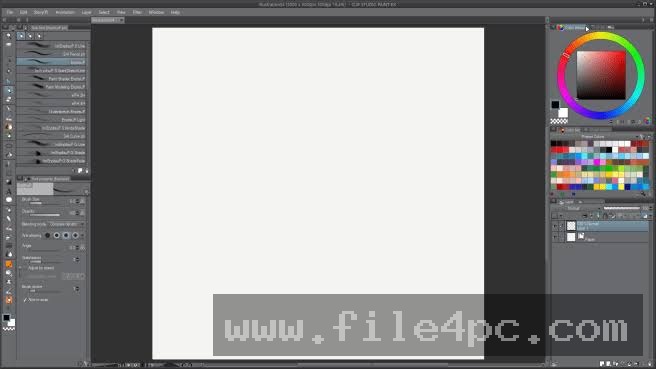
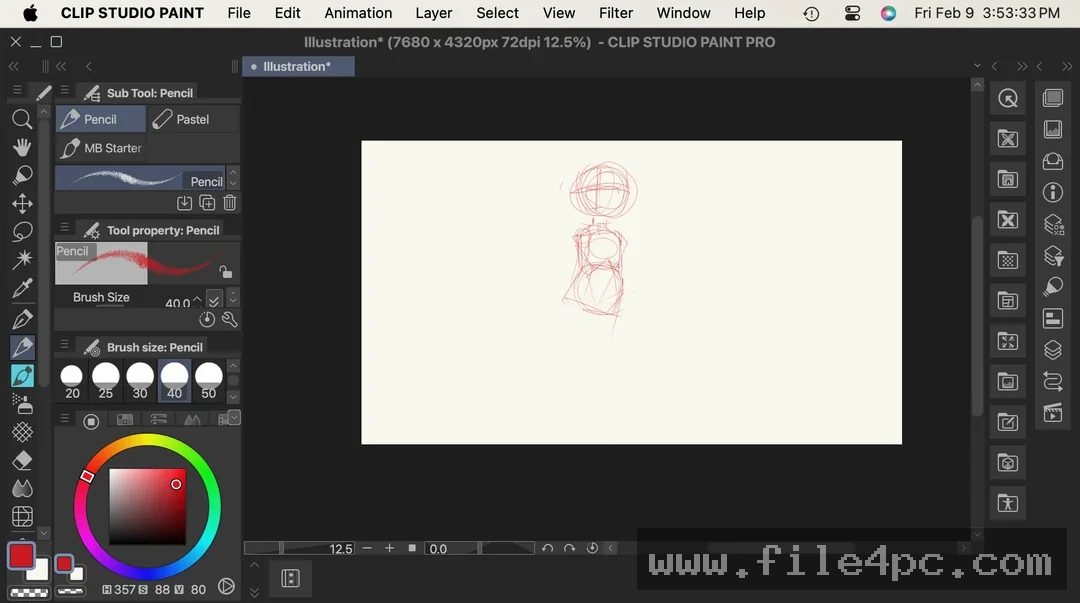
Once a canvas is open, the workspace presents tool palettes on the left, layer controls on the right, and the active drawing canvas in the center. Users select brushes, adjust tool properties, and draw using a graphics tablet connected to their computer. For multi-page projects, the story management window displays thumbnail previews of every page in order, making it simple to reorder or edit individual sheets. Users should regularly save their work or configure auto-recovery settings to prevent unexpected data loss during large rendering tasks.
Benefits and Limitations
Benefits
The primary advantage of the software is its comprehensive feature set tailored specifically for comic creation and animation. It eliminates the need to switch between multiple programs by combining illustration tools, multi-page book management, and timeline animation into a single workflow. Vector line art capabilities save substantial time during the inking phase, and the vast library of user-created materials available through the online asset store expands creative possibilities.
Limitations
Despite its robust performance, the application has distinct boundaries. It operates on a commercial licensing model that requires a paid purchase or annual plan activation for full feature access. The sheer depth of tools and customization menus can present a steep learning curve for beginners who are new to digital art software. Additionally, handling massive, multi-layer high-resolution canvases demands a capable computer system with adequate RAM and processing power to prevent lag.
What's New
Development updates for creative applications frequently introduce performance optimizations, expanded file format compatibility, and refined user interface controls. Recent software revisions have focused on improving multi-core processing efficiency to speed up rendering times for large animation files and complex layer masks.
Developers also continue to update brush stabilization algorithms and cloud backup integration features. These ongoing enhancements ensure that the application remains responsive when processing contemporary high-resolution digital artwork on updated Windows operating systems.
Installation and Setup
Setting up the application requires administrative access on your Windows workstation. Users should always download installation packages directly from the official developer portal to guarantee file security and authenticity.
Run the setup executable and follow the prompts provided by the installation wizard to place the program files on your primary storage drive. Upon first launch, enter your activation code or log in with your account credentials to register the license. Configure your graphics tablet drivers and pressure sensitivity settings inside the application preferences before starting major art projects to ensure optimal pen response.
Your May Also Like :: Clean Space Professional PC Software
Tips for Using Clip Studio Paint EX PC Software
To maximize efficiency while working on digital illustrations, keep several practical guidelines in mind:
-
Utilize Vector Layers for Inking: Draw your final line art on vector layers so you can easily modify line thickness or erase intersecting lines with intersection eraser tools.
-
Organize Layers into Folders: Keep your layer palette tidy by grouping related elements, such as background, characters, and shading, into distinct folders.
-
Configure Express Keys: Assign frequently used keyboard shortcuts or tablet express keys to common actions like undo, zoom, and brush size adjustments.
-
Explore the Asset Store: Download user-created brushes, 3D props, and background patterns from the official asset platform to speed up repetitive drawing tasks.
Modern Alternatives
Several alternative applications exist for digital artists seeking different workflow environments. Adobe Photoshop provides an industry-standard raster painting and photo-editing suite favored by concept artists and graphic designers. Corel Painter offers specialized natural media brush engines designed to mimic traditional canvas painting physics closely.
Krita provides a free, open-source painting environment with robust brush engines and animation features, appealing to creators seeking budget-friendly solutions. Choosing between these alternatives depends on whether your primary focus is sequential comic creation, photo manipulation, or open-source accessibility.
Who Should Use Clip Studio Paint EX PC Software?
This software is well-suited for professional comic book artists, manga creators, animators, and dedicated digital illustrators who require advanced multi-page project management and frame-by-frame animation tools. It benefits creators who produce narrative-driven artwork and need specialized features like perspective rulers and speech bubble generators.
Conversely, casual hobbyists who only draw single, simple illustrations occasionally may find the robust EX feature set and multi-page management tools more advanced than necessary. Similarly, graphic designers focusing primarily on vector logo creation or layout design will find dedicated vector design suites more appropriate.
FAQ
Can I create full-length animations with this software?
Yes, the EX edition removes the frame limits found in basic versions, providing a full timeline for creating frame-by-frame animations and motion sequences.
Is a graphics tablet required to use the program?
While the software can accept mouse input, a pressure-sensitive graphics tablet or pen display is strongly recommended for natural drawing control.
Can I import Photoshop files into the application?
Yes, the software supports importing and exporting standard PSD and PSB files, allowing for smooth collaboration with other graphic design workflows.
What is the difference between Pro and EX versions?
The EX edition includes all features of the standard version while adding multi-page comic book management, unlimited animation frames, and advanced book export options.
Conclusion
Clip Studio Paint EX PC Software provides a powerful, feature-rich environment for digital artists, comic creators, and animators working on Windows systems. By combining versatile brush engines with advanced multi-page management and timeline tools, it streamlines complex creative workflows.
Evaluating your specific illustration and storytelling requirements will help determine whether this advanced suite fits your artistic routine. For creators looking for a comprehensive digital art workstation capable of handling sequential stories and animations, this application delivers dependable performance.

💬 0 Comments
✍ Leave a Comment