
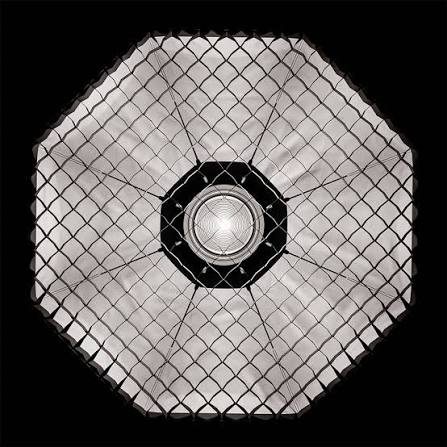
superhive-market-light-wrangler-pc-software is a specialized, interactive lighting extension developed by Leonid Altman and published on Superhive Market (formerly known as Blender Market). Built to run on Windows PCs within the 3D computer graphics software Blender, it transforms the traditionally tedious process of 3D scene lighting into an intuitive, cursor-driven workflow. Instead of forcing 3D artists, product visualizers, and digital animators to manually adjust transform gizmos and coordinate axes across multiple menus, the tool allows creators to place, aim, and adjust lights directly where their mouse points inside the 3D viewport.
The utility operates as an add-on script integrated into the local Blender installation on your PC. It eliminates the friction of trial-and-error lighting setup by providing immediate visual feedback, hotkey controls, and automated calculation of light angles, reflections, and shadow falloffs. Whether crafting studio product renders, character portraits, architectural visualizations, or atmospheric cinematic shots, the tool bridges the gap between artistic intent and technical execution.
Key Features
The extension introduces a comprehensive suite of viewport controls, automation modes, and physical studio modifiers tailored for 3D lighting workflows.
Your May Also Like :: SharpScanner PC Software
Cursor-Targeted Light Placement
The core functionality centers on cursor-driven light creation and positioning. With a simple hotkey trigger or mouse click on any 3D model surface, the software instantly generates and aims a light source precisely at that spot, removing the need to manually align location and rotation transforms.
Reflect, Direct, and Orbit Modes
Artists can switch between distinct positioning modes depending on visual intent. Reflect mode places lights based on where specular highlights and reflections should bounce off surfaces. Direct mode focuses on shaping diffuse illumination across 3D meshes. Orbit mode allows lights to rotate smoothly around a defined pivot point or target mesh, making it easy to test dramatic rim lighting or key light angles.
Interactive Viewport Adjustments
Essential light parameters can be modified on the fly without navigating property panels. Using intuitive hotkey combinations and scroll-wheel movements inside the active viewport, users can adjust light intensity, physical light size, distance from target, and beam spread in real time.
Scrim and Gobo Shadow Management
The add-on incorporates studio lighting modifiers like Scrim mode, which emulates soft studio diffusers with custom edge falloffs and gradient controls. It also features native support for Gobo textures (light stencils), projecting realistic shadow patterns such as tree leaves, window blinds, or architectural geometries directly through light sources.
Diffuse/Glossy Cross-Polarization Control
A specialized slider per light source mimics physical cross-polarization photography. Creators can isolate or suppress specular hotspots on reflective surfaces while preserving diffuse lighting, allowing precise control over glossy reflections without altering overall scene exposure.
Light and Shadow Linking Shortcuts
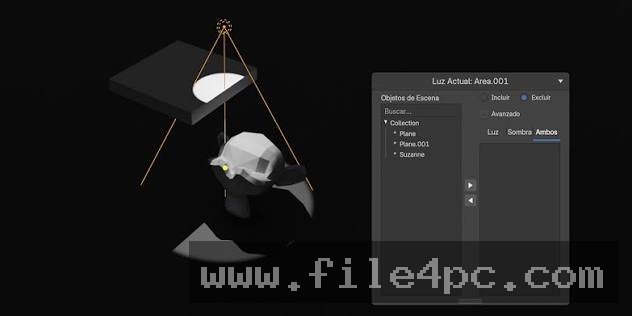
Instead of searching through dense collection trees in the host software, users can point at any object in the viewport and hit dedicated shortcuts to include or exclude specific 3D meshes from a light's influence or shadow calculations.
One-Click HDRI Baking and Environment Controls
The software includes tools to convert complex 3D lighting setups into downloadable 360-degree HDRI environment maps. Users can also rotate background HDRI environments interactively inside the viewport using hotkey-drag actions.
How superhive-market-light-wrangler PC Software Works
The operational workflow integrates directly into the viewport of Blender on a Windows PC.
To begin, you open your 3D project scene inside Blender with the add-on enabled. With a 3D object selected, you activate the lighting tool using your configured hotkey combination. Moving your mouse across the model surface causes a real-time ray-cast indicator to follow your cursor.
When you select a target point on the 3D model, the add-on automatically calculates the surface normal vector and instantiates a new light source (such as an Area light, Spotlight, or Point light) positioned at the designated distance and angle.
While in interactive mode, you use mouse wheel adjustments and key modifiers to refine the setup:
-
Scroll Wheel: Adjusts light power/intensity.
-
Shift + Scroll: Modifies physical light scale/size.
-
Alt + Scroll: Adjusts distance from the target object.
-
Ctrl + Scroll: Controls beam spread angle.
-
L / Shift+L: Toggles light linking or shadow linking on pointed meshes.
After fine-tuning light modes (such as applying a studio Scrim texture or Gobo shadow pattern), you confirm the placement. The add-on writes standard native Blender light properties to the scene data, meaning the final lighting configuration renders natively in standard render engines.
Benefits and Limitations
Understanding both productivity advantages and software boundaries helps determine if this add-on fits your 3D production pipeline.
Benefits
The most significant advantage is time efficiency. By replacing manual coordinate positioning with cursor targeting, lighting setup times can be reduced from hours to minutes. It allows artists to stay focused inside the main 3D viewport without breaking creative flow to click through side panels. The software works natively with primary render engines including Cycles and EEVEE. Furthermore, because it creates standard native light objects, scenes configured with this tool can be shared easily with collaborators who do not own the add-on.
Limitations
The primary restriction is that it is not a standalone executable; it requires an active installation of Blender (typically versions 4.2 through 5.x) on your PC to function. Certain advanced features, such as IES profile rendering or specific OctaneRender integrations, require compatible render engines or specialized license tiers. Additionally, users who rely heavily on specialized lighting automation tools outside of the Blender ecosystem will need to adjust to its viewport hotkey workflow.
What's New
Developer Leonid Altman continuously updates the software via Superhive Market. Recent updates across the Version 4.x series have focused on expanded asset libraries, studio tools, and engine compatibility.
Key updates include:
-
Full compatibility updates for Blender versions 4.2 up through 5.x releases.
-
Enhanced Gobo shadow library integration, including support for animated and procedural light stencils.
-
Introduction of the Diffuse/Glossy cross-polarization slider for fine-tuning reflections independent of diffuse illumination.
-
False Color exposure monitoring overlays (supporting Zone System and ARRI modes) directly within interactive mode.
-
Adaptive automatic light sizing scaled proportionally to selected target meshes.
Installation and Setup
Installing the add-on onto your PC requires a standard installation through Blender's internal preferences.
-
Download the add-on distribution package (
.zipfile) after purchasing your license from Superhive Market. -
Open Blender on your Windows PC.
-
Navigate to Edit > Preferences > Add-ons.
-
Click the Install or Extension drop-down button, select the downloaded
.zipfile, and confirm. -
Enable the checkbox next to Light Wrangler in your add-ons list.
-
Save your user preferences. The interactive lighting controls will now be bound to your viewport shortcuts.
Tips for Using superhive-market-light-wrangler PC Software
Use Reflect mode when lighting product renders with shiny metallic or glass surfaces. Pointing directly at the highlight location on the glass forces the light to position itself at the exact mathematical angle needed to bounce the highlight straight into the camera lens.
Enable False Color mode (by pressing F during interactive placement) to check exposure levels across your scene in real time, ensuring your highlights are not blown out before committing to a final render.
When creating character portraits or dramatic environment shots, combine Scrim mode with Gobo textures to soften hard light edges while projecting organic shadows like window frames or foliage.
Modern Alternatives
Depending on your 3D creation platform and specific workflow requirements, alternative tools exist.
Leomarkett Light Studio is another Blender lighting extension that provides pre-built studio environment templates and softbox presets. While excellent for quick studio setups, it focuses more on preset management rather than Light Wrangler's real-time, cursor-targeted ray-cast positioning.
HDR Light Studio is a standalone commercial software application used across major 3D suites (including Maya, 3ds Max, Cinema 4D, and Blender). It offers professional live HDRI map creation and real-time reflection targeting. However, it operates as a heavy external application with a significantly higher subscription price tag compared to native add-on scripts.
Physical Starlight and Atmosphere is a procedural environment lighting add-on for Blender focused on sky, sun, and atmospheric haze simulation. While powerful for outdoor environments, it serves a different purpose than Light Wrangler's studio-focused light placement tools.
Who Should Use superhive-market-light-wrangler PC Software?
This software extension is ideal for product visualization designers, 3D artists, digital sculptors, archivists, and animators working inside Blender. If you frequently spend time manually positioning area lights, tweaking specular highlights, or building studio lighting rigs, this tool streamlines those steps into an intuitive experience.
However, 2D artists, video editors, or 3D creators who do not use Blender for rendering will not find this add-on applicable to their workflow.
FAQ
Is this a standalone Windows application?
No. It is a specialized Python add-on designed to run inside the Blender 3D creation suite on Windows, macOS, or Linux PCs.
Which Blender render engines are supported?
The add-on fully supports standard Cycles and EEVEE render engines natively. OctaneRender support is also available via dedicated Octane-compatible license tiers.
Can I share project files with someone who does not own the add-on?
Yes. The tool generates native Blender light objects, shader nodes, and transform data inside your project .blend file. Collaborators can open, edit, and render the scene without needing the add-on installed.
Does the software require an active internet connection to work?
No. Core lighting tools, cursor tracking, and local texture modes function completely offline. An internet connection is only used if you choose to download cloud-hosted HDRI or Gobo asset libraries directly within the tool.
Conclusion
superhive-market-light-wrangler-pc-software delivers an effective, intuitive solution for managing 3D scene illumination within Blender on PC. By converting manual transform manipulation into a cursor-driven, interactive viewport experience, it allows digital artists to place lights, control reflections, and manage shadows with unprecedented speed.
While it requires a working installation of Blender, its low learning curve, rich feature set, and integration with native render engines make it an essential tool for 3D visualizers. For any creator seeking to elevate their render quality while removing technical lighting bottlenecks, this extension provides a valuable addition to the digital workstation.


💬 0 Comments
✍ Leave a Comment