
TimeScribe PC Software is a specialized time tracking and audio transcription utility designed to help users record, manage, and transcribe time-stamped audio data directly on desktop systems. Built primarily for legal professionals, medical transcriptionists, journalists, and academic researchers, it combines media playback controls with a structured text editor. This allows operators to log precise time codes alongside text notes without switching between separate media player applications and word processors.
Operating locally on Windows desktop environments, the application provides keyboard-driven media navigation and foot pedal support. Instead of forcing users to manually pause and restart audio playback using mouse controls, it assigns media transport commands to global hotkeys or external USB hardware controllers. This enables continuous typing while reviewing interview recordings, legal depositions, or recorded lectures.
While several specialized utilities operate under similar naming conventions across niche software archives, core desktop versions are maintained as lightweight 32-bit and 64-bit Windows applications built for offline reliability and low system resource overhead.
Key Features
The application incorporates a dedicated set of media playback, hotkey mapping, time-code insertion, and text editing features.
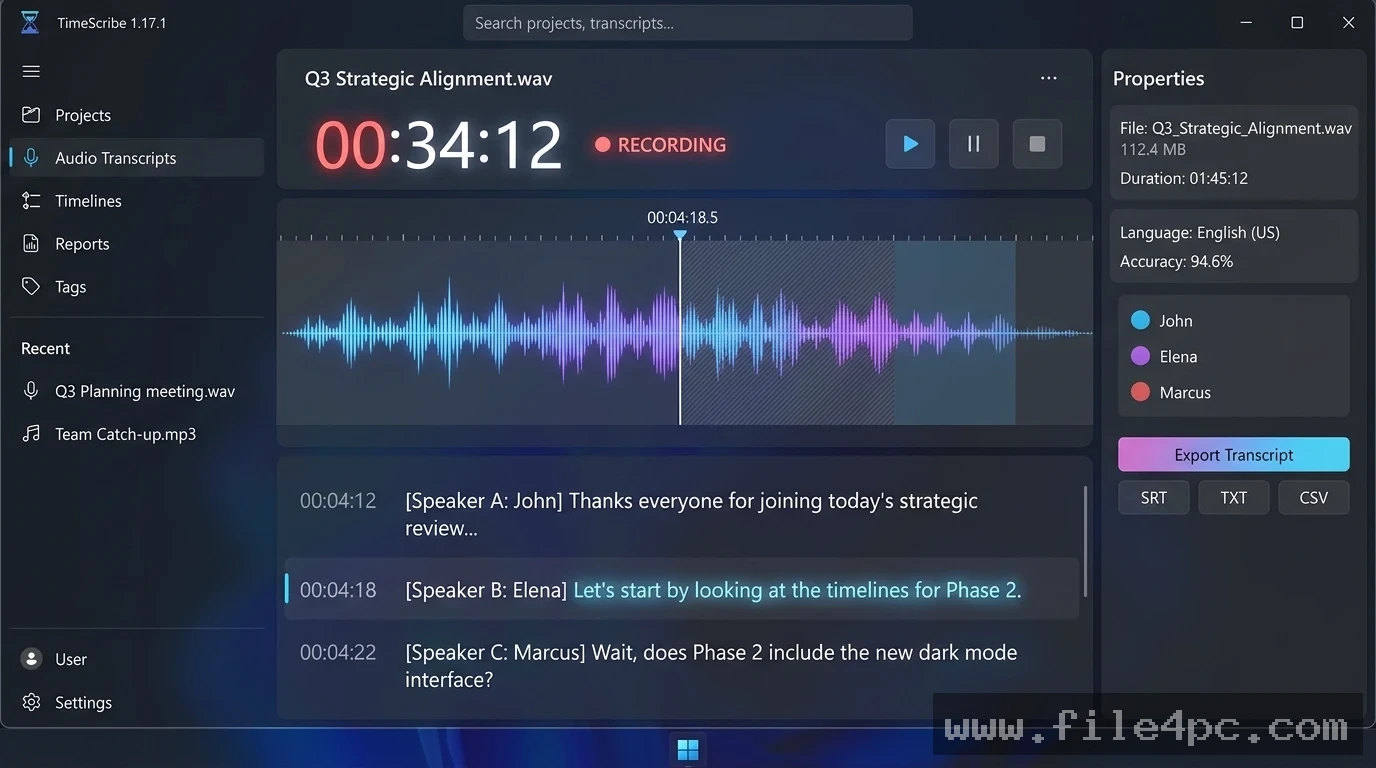
Integrated Audio Playback and Text Editor The unified interface places audio transport controls and a text editing window inside a single workspace. Users can view waveform timelines, track current playback timestamps, and type transcripts simultaneously without window overlapping issues.
Global Hotkey and Foot Pedal Mapping To streamline manual transcription workflows, the program supports global keyboard shortcuts and external USB foot pedals. Operators can play, pause, rewind, fast-forward, and slow down audio playback using customizable key combinations or pedal taps while keeping active focus inside the text box.
Automated Time-Code Stamping The software includes a quick timestamp insertion feature. Pressing a designated hotkey automatically inserts the current audio time marker (e.g., [00:14:32]) directly into the transcript text. This allows users to bookmark critical quotes, unclear passages, or speaker transitions for later review.
Variable Speed Playback Control Audio playback speeds can be adjusted without altering pitch frequencies. Users can slow down fast speakers to 50% speed for difficult audio segments or speed up clear dictation to 150% to complete transcripts faster.
Text Template and Auto-Text Expansion The built-in editor supports basic text expansion rules and predefined layout templates. Transcribers can set up short abbreviations that automatically expand into full phrases, speaker labels, or formal legal headers during live typing.
Your May Also Like :: Mozilla Thunderbird PC Software
How TimeScribe PC Software Works
The operational process moves logically from audio file loading to time-stamped text export.
To begin, launch the application and click Open File to load an audio or video file (such as MP3, WAV, or WMA formats). The software loads the media timeline into the top playback panel and initializes your selected text template in the lower editing canvas.
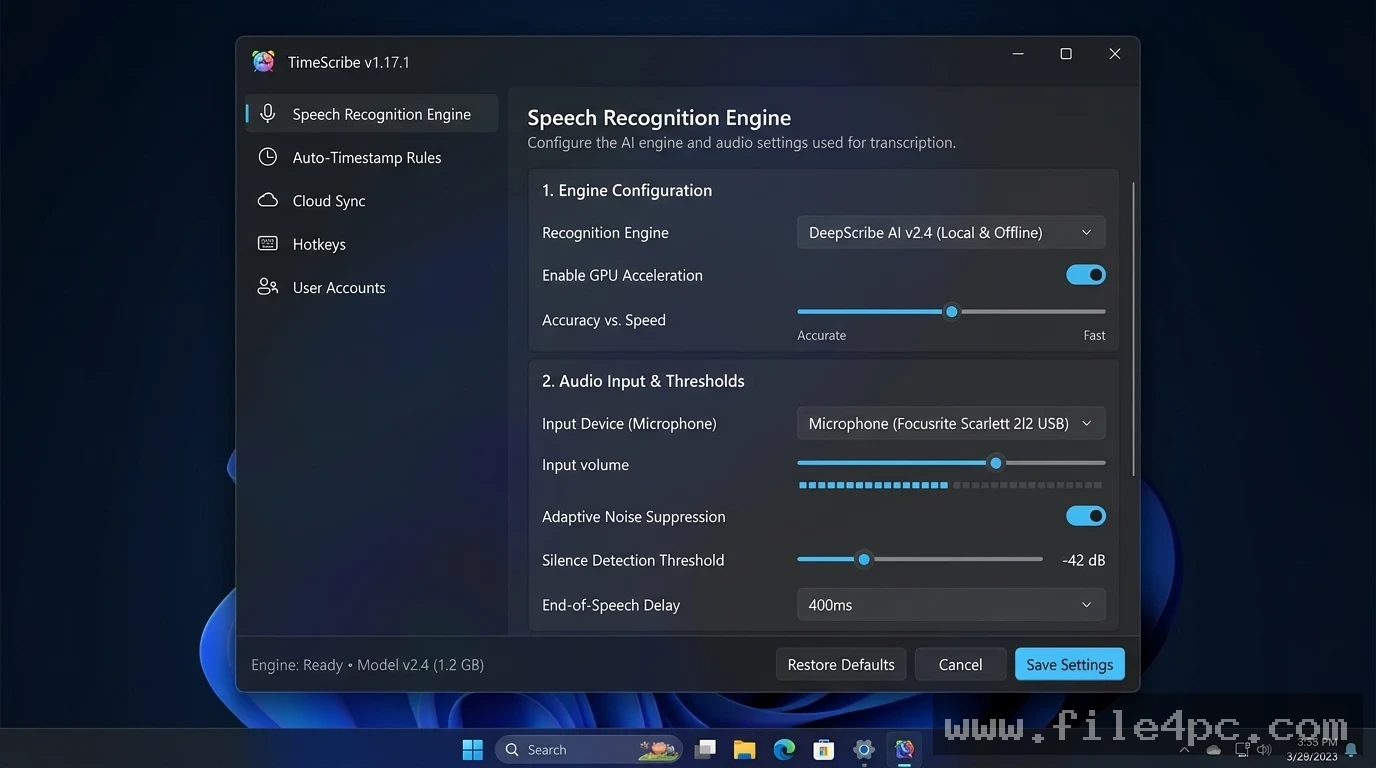
Next, configure your playback preferences. Set your preferred rewind interval (such as automatically stepping back 2 seconds whenever playback is paused) and verify that your USB foot pedal or global hotkeys are mapped correctly.
Start playback and begin typing your transcript in the main text box. When you reach a key statement or need to note a speaker change, hit your assigned timestamp key to insert a precise time marker. When the transcription is complete, you can save your work as a standard text file (.txt), formatted document (.rtf), or export time-stamped tables directly to external office applications.
Benefits and Limitations
Evaluating the utility requires balancing its ergonomic transcription features against its platform capabilities.
Benefits
The main advantage is workflow efficiency for manual transcription tasks. Integrating foot pedal hardware controls alongside automated timestamping eliminates constant window switching, significantly reducing typing fatigue. Storing audio files and transcript documents locally ensures full privacy and confidentiality for sensitive legal documents or medical notes. Furthermore, its lightweight memory footprint allows smooth execution on older office PCs or low-spec laptops.
Limitations
The primary limitation is that legacy standalone builds focus on manual transcription assistance rather than automated cloud-based artificial intelligence speech-to-text conversion. Users expecting automated AI text generation from raw audio files will need to supply pre-processed text or use modern cloud API extensions. Additionally, playback compatibility depends on host system audio codecs installed on the Windows operating system.
What's New
Development across desktop transcription tools focuses on audio codec compatibility, high-DPI interface scaling, and system stability.
Verified technical aspects of its development status include:
-
Refined Codec Handling: Expanded playback support for compressed digital audio container formats like M4A and AAC.
-
USB Foot Pedal Mapping: Improved device detection for standard HID-compliant USB transcription foot pedals.
-
Modern Windows UI Scaling: Visual adjustments to text editor panels for clean rendering on 1080p and 4K desktop displays.
-
Auto-Save Data Recovery: Enhanced periodic background saving to prevent transcript text loss during sudden system shutdowns.
Installation and Setup
Setting up the application on a Windows PC involves a standard installation process.
-
Download the official setup archive or executable package from a verified software directory or developer website.
-
Extract the ZIP package if necessary, and double-click
TimeScribe_Setup.exeto launch the installation wizard. -
Accept the software license agreement, select your target installation directory, and complete setup.
-
Plug in your USB foot pedal (if applicable) and open the application settings to map pedal inputs to Play, Pause, and Rewind commands.
Setup Tip: Configure your Auto-Rewind on Pause setting to 1.5 or 2 seconds. Having the audio automatically jump back slightly every time you pause gives your brain context for the last word spoken when you resume typing.
Tips for Using TimeScribe PC Software
Create short expansion triggers for repetitive speaker names. Setting up shorthand triggers like spk1 to expand into SPEAKER 1 (Prosecutor): saves hundreds of keystrokes across a lengthy deposition transcript.
Adjust audio playback pitch and speed balance based on recording quality. Slowing down low-quality background noise recordings to 75% speed while applying built-in high-pass frequency filters makes faint voices much easier to decipher.
Back up transcript text files frequently to secondary storage drives when working on extended multi-hour audio files to prevent data loss.
Modern Alternatives
Depending on whether your workflow requires manual foot-pedal typing, automatic AI speech recognition, or cross-platform web access, several alternative tools exist.
Express Scribe (by NCH Software) is a widely used professional audio transcription player for Windows and Mac. It features comprehensive foot pedal support, incoming job management, and broad audio file format compatibility, offering both free and commercial license tiers.
Otter.ai is a cloud-based automated AI transcription service. It generates real-time text transcripts from live meetings or uploaded audio files using artificial intelligence, though it requires an active internet connection and subscription plan.
Descript is a modern audio and video editing platform that transcribes media automatically and allows users to edit audio clips by editing the written transcript text. It targets podcasters and video creators, carrying higher system resource demands.
Who Should Use TimeScribe PC Software?
This software is ideal for professional transcribers, legal secretaries, court reporters, journalists, and academic researchers who manually transcribe recorded audio interviews, hearings, or dictations. If you need a lightweight, offline desktop tool that connects to USB foot pedals and inserts precise time codes without cloud subscriptions, it provides a practical workspace.
However, users seeking completely automated AI speech-to-text conversion without manual typing will be better served by cloud platforms like Otter.ai or Descript.
FAQ
Is TimeScribe PC Software free or paid?
Depending on the specific distribution version from the developer, the software is offered either as freeware for basic use or as a low-cost commercial desktop utility for professional transcription environments.
Can I connect a USB foot pedal to the software?
Yes. The software supports standard HID-compliant USB transcription foot pedals, allowing users to control Play, Pause, Fast-Forward, and Rewind functions with their feet.
Does the software automatically transcribe audio using AI?
Standard offline desktop builds are designed as transcription assistance tools (providing playback controls and editor integration for human transcribers) rather than fully automated AI speech-to-text engines.
What audio formats are supported?
The application supports standard Windows audio containers, including MP3, WAV, WMA, and basic M4A files, depending on system codec availability.
Conclusion
TimeScribe PC Software offers a practical, offline desktop environment for managing audio transcription workflows on Windows systems. By combining audio playback controls, customizable global hotkeys, foot pedal support, and automatic timestamp insertion into a single text-editing workspace, it streamlines manual transcription tasks.
While users looking for cloud-based automated AI transcription will require web alternatives, its lightweight resource usage, local privacy protections, and ergonomic hardware controls make it a reliable utility. For professionals who require precise, manual control over document transcription, it provides an efficient desktop platform.
💬 0 Comments
✍ Leave a Comment