

Emurasoft EmEditor Professional PC Software is a specialized text and code editing utility created for Windows computers. Its primary purpose is to deliver high speed performance when opening, viewing, and modifying massive files that cause standard applications to lag or freeze entirely. Programmers, system administrators, and data analysts frequently rely on this utility to process heavy log files and extensive database exports without encountering memory bottlenecks. The application maintains an active development lifecycle, ensuring ongoing compatibility with current Windows operating system updates and modern hardware architectures.
Key Features
The software includes several performance oriented capabilities designed for technical users handling large volumes of text.
Large File Handling
Traditional text editors attempt to load entire documents into random access memory at once, which quickly exhausts system resources when dealing with multi-gigabyte files. This application utilizes advanced memory mapping techniques to read only active portions of a file on demand. This design enables users to open and edit files up to sixteen terabytes or over one trillion lines smoothly, ensuring stable performance even on modest hardware configurations.
Tabular CSV Data Tools
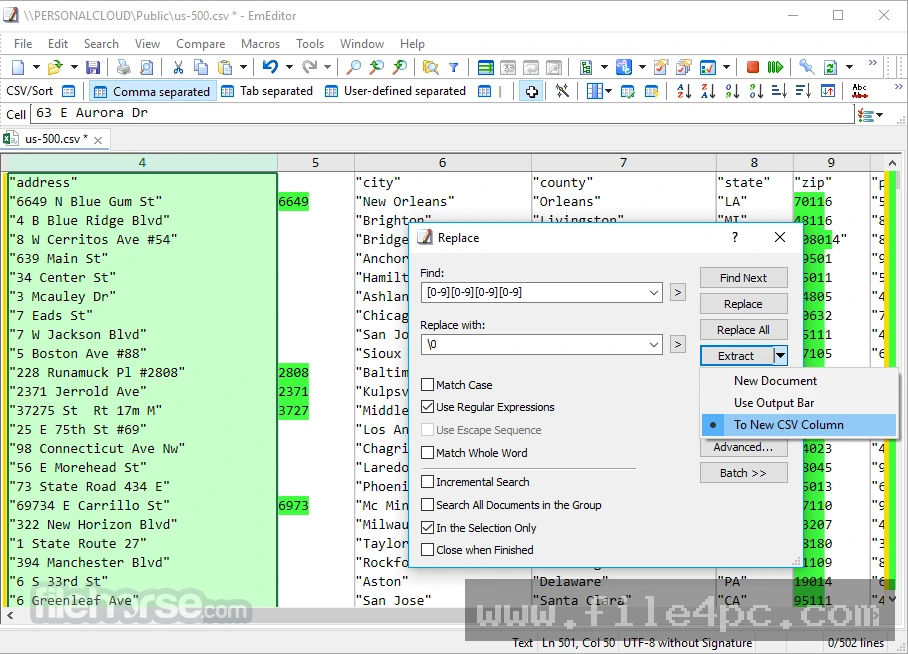
Managing comma separated values data can quickly become chaotic in generic word processors or standard text windows. The utility provides specialized tools to convert raw text into structured tables, freeze header rows, sort data columns, and construct pivot tables without requiring a separate database suite. Users can inspect wide datasets efficiently and export modified tabular information with minimal effort.
Advanced Search and Regular Expressions
Complex data transformations are supported through powerful regular expression engines like Onigmo and Boost. Users can execute intricate pattern matches across single documents or search across multiple folders simultaneously, dramatically reducing manual editing time during project updates. This makes searching through thousands of lines of source code or system logs fast and precise.
Your May Also Like :: DxO ViewPoint PC Software download
Syntax Highlighting
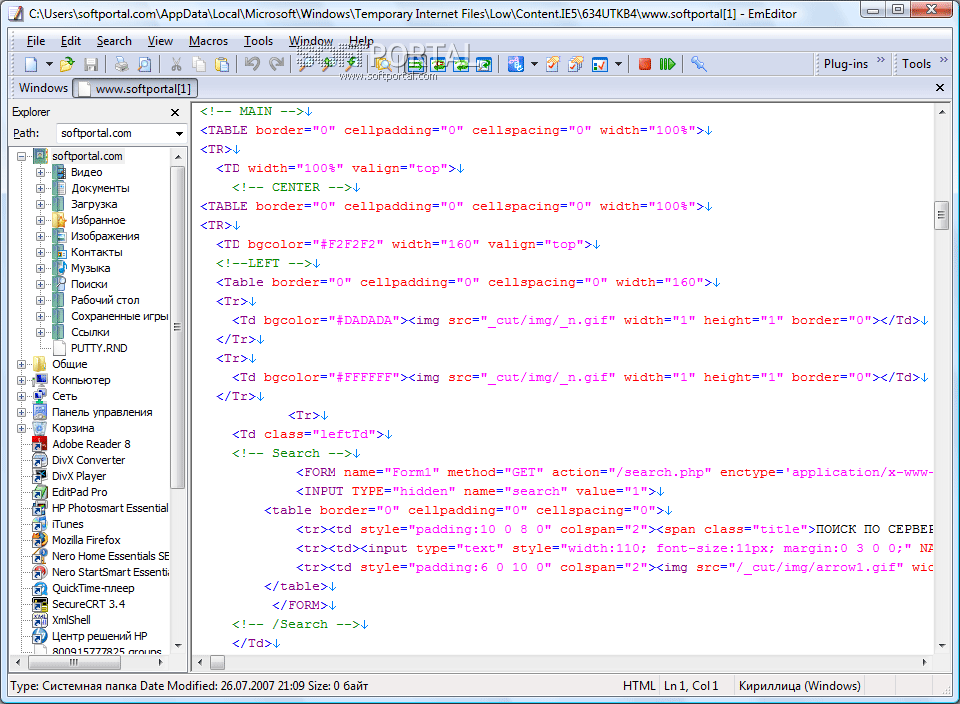
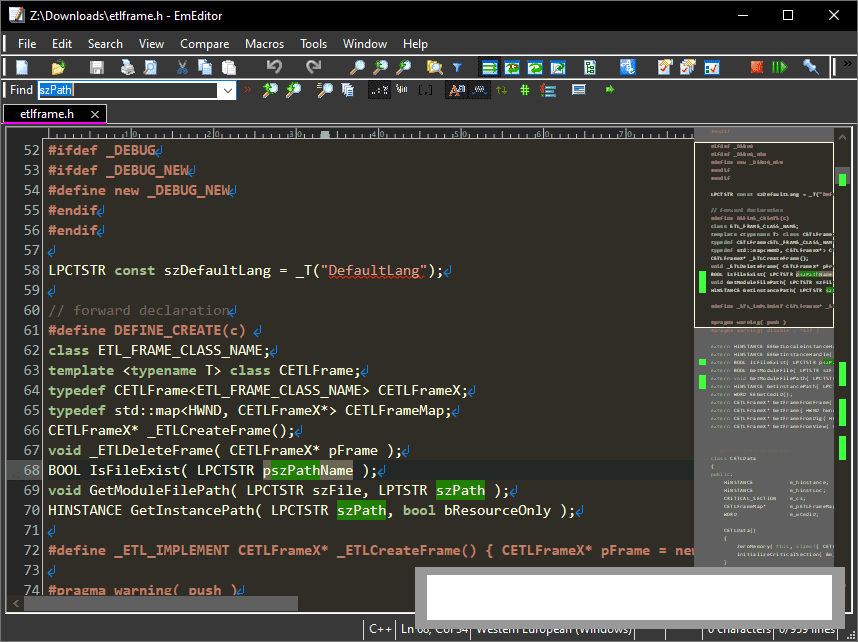
Coding workflows are simplified through built-in syntax definitions for dozens of programming languages. The interface automatically highlights keywords, strings, and comments, while allowing full customization of color schemes and font settings to match personal preferences. Developers can configure custom definitions for niche scripting languages as well.
Plugin Architecture and Extensions
An expandable plugin ecosystem allows users to add specialized tools such as code outline viewers, document comparison utilities, and integrated artificial intelligence assistants for automated text generation and coding support. This modular approach keeps the core application lightweight while offering extensive customization for specialized tasks.
How Emurasoft EmEditor Professional PC Software Works
Operating the application begins with a clean, responsive workspace that launches almost instantly upon execution. Users can open files through standard menus or drag documents directly into the interface. When dealing with files that span multiple gigabytes, a dedicated large file controller appears, allowing you to specify line ranges or examine file statistics before loading the full dataset.
Once active, standard keyboard shortcuts and mouse controls guide navigation through the document. The typical workflow involves reviewing data, applying filters, running search queries, and saving modifications back to local storage. Users should always ensure they maintain independent backups of critical production files before executing large scale batch replacement scripts or complex data transformations to prevent accidental data loss.
Benefits and Limitations
A balanced look at the software highlights both its robust strengths and its inherent boundaries.
Benefits
-
Delivers exceptional speed when opening, searching, and saving multi-gigabyte files compared to traditional editors.
-
Provides powerful CSV manipulation tools that rival dedicated spreadsheet software for raw data processing.
-
Offers a graceful transition from a professional trial period to a functional free edition if a license is not purchased.
-
Supports custom macros and external tool integrations for tailored, automated workflows.
Limitations
-
Built exclusively for Windows systems, lacking native desktop versions for macOS or Linux environments.
-
Requires a paid license purchase to unlock all advanced professional features after the trial period ends.
-
Features a steep learning curve due to the vast array of configuration settings and technical tools available.
What's New
The publisher maintains a consistent release schedule focusing on performance and stability. Recent updates in the version series have introduced faster processing speeds for single line files containing no newline characters, refined custom bars for undo history and special character insertion, and expanded multi-provider AI writing support that connects with models from various major technology providers. Furthermore, recent package updates improve integration with protected system folders and desktop context menus while adhering to strict security protocols.
Installation and Setup
Deployment options cater to different administrative preferences, including an automated Microsoft Store package, a standard MSIX installer, a legacy MSI package, and a portable edition that runs directly from removable drives without touching the system registry. To ensure security, obtain installation files exclusively from the official developer website or the authorized Microsoft Store listing. During setup, follow the on-screen prompts and verify your installation directory. If you are upgrading from an older release, remember to back up your custom macros and configuration settings beforehand.
Tips for Using Emurasoft EmEditor Professional PC Software
-
Configure the large file controller settings to preview or load specific line ranges when handling massive datasets to conserve computer memory.
-
Master basic regular expression syntax to harness powerful pattern matching for cleaning messy data files efficiently.
-
Enable workspace memory settings so the application automatically restores your previously opened tabs and cursor positions after a restart.
-
Explore the plugin manager to install specialized tools that align with your specific daily programming or data analysis requirements.
Modern Alternatives
Users evaluating other applications can explore several options depending on their operating system and workflow needs:
-
Visual Studio Code is a popular open source code editor by Microsoft that relies on extensions and supports multiple operating systems, though it can consume more memory on very large files.
-
Notepad++ is a lightweight text editor for Windows focused on general programming tasks, though it struggles with multi-gigabyte file sizes compared to memory mapped tools.
-
Sublime Text is a fast, cross-platform text editor known for its clean interface and multi-selection editing features, available under a commercial license.
Who Should Use Emurasoft EmEditor Professional PC Software?
This utility is ideal for technical professionals who routinely interact with heavy data files. Software developers managing massive codebases, digital forensics investigators examining extensive log files, database administrators reviewing large SQL exports, and financial analysts processing wide CSV datasets will find the performance invaluable. If your daily work involves files that freeze standard applications, this tool provides a reliable solution. Casual users who only need to write short notes or view tiny configuration files will find the extensive feature set more than they require.
FAQ
Is there a free version available?
Yes. The application provides a professional evaluation period that automatically transitions to a capable free tier once the trial concludes if a license is not purchased.
What is the maximum file size the software can open?
The program is engineered to handle files up to sixteen terabytes or over one trillion lines, depending on available storage space.
Can I run the software from a USB drive?
Yes. A portable version is available for users who want to run the application from removable storage without performing a traditional installation.
Does the editor support macros?
Yes. It supports powerful, scriptable macros that allow users to automate repetitive editing tasks and custom workflows.
Conclusion
Emurasoft EmEditor Professional PC Software delivers exceptional performance, massive file handling capabilities, and robust CSV management tools for Windows users. Its combination of speed, regular expression power, and active development makes it a dependable asset for technical professionals.
Evaluating whether this text editor fits your workflow depends primarily on the scale of the files you manage and your need for advanced data manipulation features. For anyone dealing with heavy data loads on Windows, it provides a stable and efficient workspace.
💬 0 Comments
✍ Leave a Comment