

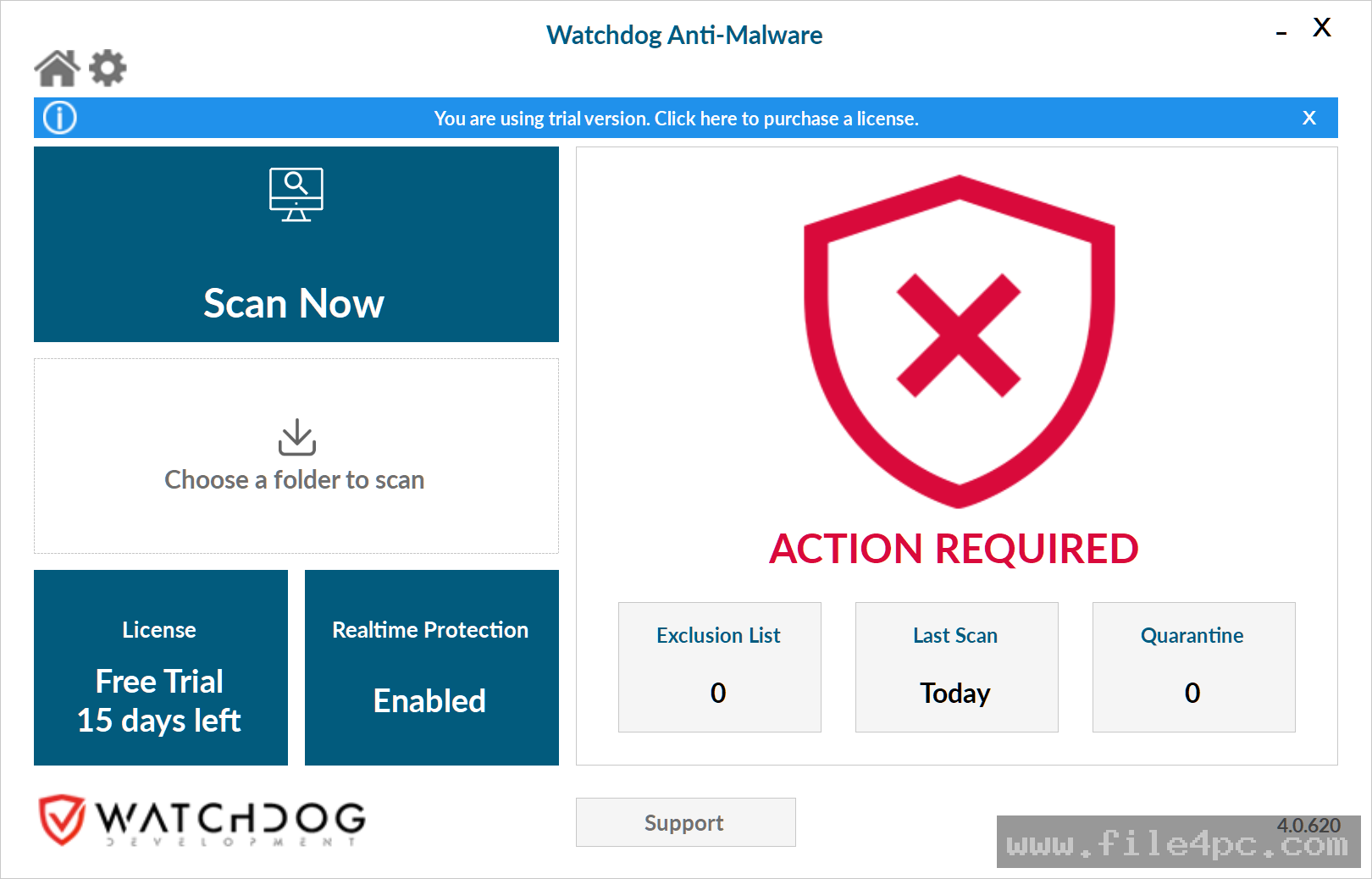
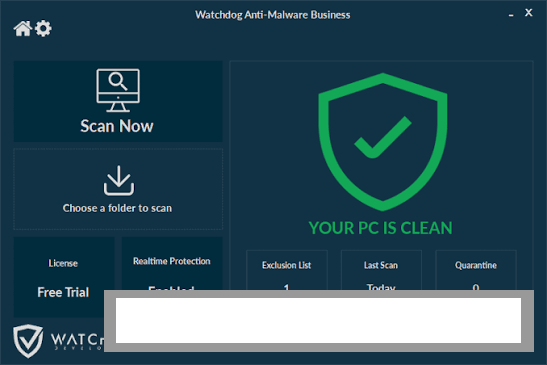
Watchdog Anti-Malware Business PC Software is a multi-engine, cloud-assisted security program designed by Watchdog Development to defend business workstations and office computers against modern cyber threats. Built as a second-line defense system, it operates alongside existing antivirus software to detect and remove stubborn security threats that traditional signature-based scanners might miss. It targets small to medium-sized businesses, IT support teams, and managed service providers who need extra security layers against zero-day exploits, ransomware, rootkits, keyloggers, and unwanted browser hijackers.
Operating locally on Windows PCs while leveraging cloud-based threat intelligence servers, the software optimizes system resource usage. Instead of storing massive database definitions on every client endpoint, the client program generates cryptographic file signatures and queries Watchdog's cloud scanning network in real time. This architecture allows office PCs to maintain fast operation while benefiting from continuous threat detection updates.
Watchdog Development actively maintains the software across its Version 4.x release branch, ensuring full support for modern 64-bit Windows operating systems, business deployment tools, and remote management preferences.
Key Features
The application incorporates a multi-engine cloud architecture, real-time file protection, and specialized malware cleaning algorithms.
Multi-Engine Cloud Scanning Architecture Rather than relying on a single detection algorithm, the software routes suspicious file signatures through multiple cloud-based antivirus engines simultaneously. This multi-engine approach increases threat detection coverage without burdening local PC hardware with multiple heavy security applications.
Real-Time Threat Prevention The business endpoint agent runs a continuous background monitoring service that inspects newly created files, downloaded media, active memory modules, and autostart registry keys. When a malicious file attempts to execute, the real-time engine blocks the process before it can infect host storage drives.
Specialized Ransomware and Rootkit Defense Ransomware attacks pose severe operational risks to business networks. The software includes dedicated behavioral monitoring heuristics that detect file encryption attempts. Additionally, built-in rootkit removal modules target deep system infections that attempt to hide below standard Windows security permissions.
Browser Hijacker and Adware Removal Potentially Unwanted Programs (PUPs), rogue toolbars, and browser hijackers can compromise employee productivity and expose corporate networks to secondary vulnerabilities. The scanner inspects web browser extensions, local network settings, and system startup paths to remove unwanted promotional software cleanly.
Centralized Deployment and Management Options For business networks managing multiple employee workstations, the platform supports bulk deployment scripts, custom policy configurations, and centralized licensing. IT managers can schedule automated background scans during off-peak hours to avoid disrupting normal office workflows.
How Watchdog Anti-Malware Business PC Software Works
The operational workflow transitions sequentially from endpoint setup and cloud signature lookup to automated quarantine cleanup.
First, the application agent is installed on client workstations across the office network. Upon launching, the software initializes its background protection hooks and syncs with the central cloud management console.
When an employee opens a file, inserts a USB storage drive, or runs an executable, the endpoint engine extracts the file's cryptographic hash. If the hash matches known safe items, the operation proceeds instantly. If the file is unknown or exhibits suspicious behavior, the local agent securely uploads its metadata to the Watchdog cloud scanner.
In the cloud, multiple antivirus engines analyze the file signature against live threat databases. If the file is identified as malicious, the server sends an immediate response back to the local client. The software halts the execution thread, quarantines the infected file, and logs the incident details for the system administrator.
Benefits and Limitations
Evaluating the software requires balancing its second-layer threat detection against its specific operational role.
Your May Also Like :: S-IT SSD-Check PC Software
Benefits
The most significant advantage is high detection coverage with minimal performance impact. By offloading primary scanning math to cloud servers, client workstations do not experience the slowdowns associated with running multiple local antivirus programs. Its compatibility as a second-opinion scanner means it can run alongside native security tools like Microsoft Defender without software conflicts. Furthermore, business licensing structures simplify endpoint expansion for growing companies.
Limitations
The primary restriction is that optimal multi-engine detection requires an active internet connection. If an endpoint PC is disconnected from the network, the software relies on its basic local heuristic engine, which offers reduced scanning depth compared to full cloud analysis. Additionally, while it effectively detects and cleans malware, it is designed strictly as an endpoint utility rather than a complete network gateway firewall or mail server spam filter.
What's New
Watchdog Development maintains an active release schedule across its security lineup, focusing on database expansion, detection speed, and platform stability.
Key developments in recent releases include:
-
Version 4.x Engine Optimizations: Improved cloud query caching that reduces network bandwidth usage during bulk folder scans.
-
Refined Ransomware Heuristics: Upgraded behavioral detection algorithms that flag unauthorized file access patterns faster.
-
Enhanced Modern Windows Support: Native performance tuning for Windows 11 24H2 builds and multi-core processor architectures.
-
Updated UI and Notification Settings: Streamlined alert dialogues that prevent unnecessary pop-up distractions for end users during business hours.
Installation and Setup
Deploying the software across office PCs involves a simple installation routine.
Network administrators download the official setup package (Watchdog-Anti-Malware-Setup.exe) directly from the official Watchdog portal. You can run the installer manually on individual PCs or deploy it silently across multiple network endpoints using active directory domain scripts or remote management tools.
During setup, enter your business license key to activate full real-time protection across your designated endpoint count. Configure your preferred scan schedules, exclude trusted corporate software folders from scanning if necessary, and set automatic quarantine rules to handle identified threats without requiring user intervention.
Tips for Using Watchdog Anti-Malware Business PC Software
Configure automated deep scans to run during off-peak hours, such as overnight or early in the morning. Scheduling scans when employees are not actively working ensures thorough drive inspection without impacting daily work performance.
Keep native Windows security features active alongside this application. Because the tool is engineered to act as a secondary layer of defense, pairing it with standard primary firewalls and operating system protections creates a reliable defense setup.
Review the quarantine vault periodically before clearing flagged items permanently. If proprietary corporate software triggers a false positive, administrators can restore the file and add it to the exclusion whitelist with a single click.
Modern Alternatives
Depending on whether your business requires secondary endpoint protection or an all-in-one corporate suite, several alternatives exist.
Malwarebytes for Business is a widely used endpoint detection and remediation platform. It offers cloud console management, automated threat cleaning, and ransomware protection. While highly capable, higher-tier plans can carry higher per-seat costs.
HitmanPro.Alert (by Sophos) is a specialized anti-exploit and second-opinion scanner that runs alongside primary antivirus tools. It excels at stopping advanced process hijacking and memory exploits, though it is often integrated into broader Sophos cloud packages.
ESET PROTECT Entry is a complete primary business endpoint protection suite offering lightweight scanning, firewall controls, and centralized administration. Unlike standalone second-opinion scanners, ESET serves as a primary endpoint security solution.
Who Should Use Watchdog Anti-Malware Business PC Software?
This application is ideal for business owners, office IT managers, and system administrators who want to add extra malware scanning layers to their existing Windows PCs. It is particularly suitable for organizations that want to detect ransomware, zero-day threats, and stubborn browser hijackers without installing heavy resource-intensive software suites.
However, organizations seeking a fully managed network firewall, email server filter, or offline-only security system may prefer broader enterprise suites like ESET or Sophos.
FAQ
Is Watchdog Anti-Malware Business PC Software free or paid?
It is a paid commercial business product. A fully functional free trial version is available for testing endpoint detection before purchasing per-seat annual business licenses.
Can this software run alongside my existing antivirus program?
Yes. The software is specifically designed as a compatible second-opinion scanner, allowing it to run smoothly alongside primary protection tools like Microsoft Defender without causing software conflicts.
Does the software require an internet connection to scan files?
While a basic local heuristic engine runs offline, the multi-engine scanning feature requires an active internet connection to query cloud threat databases.
Which operating systems are supported?
The application supports Microsoft Windows operating systems, including 32-bit and 64-bit editions of Windows 11, Windows 10, Windows 8/8.1, and Windows 7, as well as Windows Server environments.
Conclusion
Watchdog Anti-Malware Business PC Software provides an efficient, multi-engine security solution for protecting office workstations against evolving digital threats. By pairing lightweight local endpoint monitoring with cloud-based multi-engine scanning, it catches complex malware, ransomware, and rootkits without slowing down employee hardware.
While full detection depth relies on internet connectivity for cloud lookups, its seamless compatibility with primary security suites and low resource footprint make it a practical asset for IT departments. For businesses looking to strengthen their endpoint security posture without complicating daily operations, it offers a solid workspace.
💬 0 Comments
✍ Leave a Comment