
Syncthing PC Software is a continuous, peer-to-peer file synchronization utility designed to transfer files directly between your computers, servers, and mobile devices without relying on third-party cloud storage providers. Developed as a free and open-source project, it replaces traditional centralized cloud services like Google Drive, Dropbox, or OneDrive by establishing direct, encrypted connections between your personal machines. Instead of uploading your documents to an unknown corporate server hosted in a remote data center, your files move straight from your Windows, macOS, or Linux PC to your other trusted devices over your local network or the internet.
The application operates as a background service managed through a clean web-based user interface. It caters to privacy-conscious individuals, photographers, remote workers, and system administrators who want absolute ownership over their data storage and transfer workflows. Because it utilizes cryptographic security keys and block-level file transfers, it provides a reliable framework for keeping large media libraries, code repositories, and work documents synchronized across multiple endpoints in real time.
The project is under active, continuous development by its open-source community contributors, receiving regular performance optimizations, protocol enhancements, and security audits.
Your May Also Like :: Silhouette Studio Business Edition
Key Features
The platform includes a robust set of decentralized data transfer, security, and versioning tools designed to keep local directories identical across devices.
Decentralized Peer-to-Peer Architecture Traditional syncing services require uploading files to a central cloud server before downloading them to a secondary device. This utility bypasses central servers entirely. Devices connect directly to each other using a secure protocol, meaning your sync speed is limited only by your local network hardware or internet connection bandwidth.
End-to-End Cryptographic Security Data privacy is built into the core communication protocol. All communications between devices are secured using Transport Layer Security (TLS), featuring robust certificate validation that prevents unauthorized eavesdropping. Furthermore, if you sync data through an untrusted relay server, you can configure encrypted folders so that intermediate nodes only see scrambled, unreadable data blocks.
Block-Level File Delta Transfers When you edit a large file, such as a 5 GB database or a video project, the software does not re-upload the entire file. Instead, it splits files into smaller cryptographic blocks, detecting precisely which bytes changed and transferring only the modified blocks to your other devices, saving significant bandwidth.
Flexible Conflict Resolution and Versioning File conflicts can occur when the same document is edited simultaneously on two offline devices. The software detects these collisions and preserves both versions rather than blindly overwriting data. Additionally, it includes flexible file versioning options (such as simple or stashed versioning) to recover deleted or overwritten files easily.
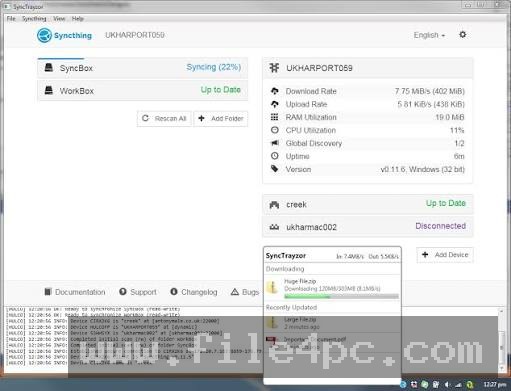
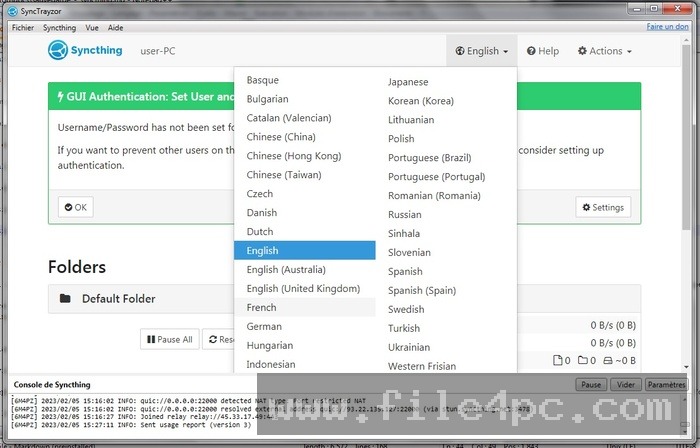
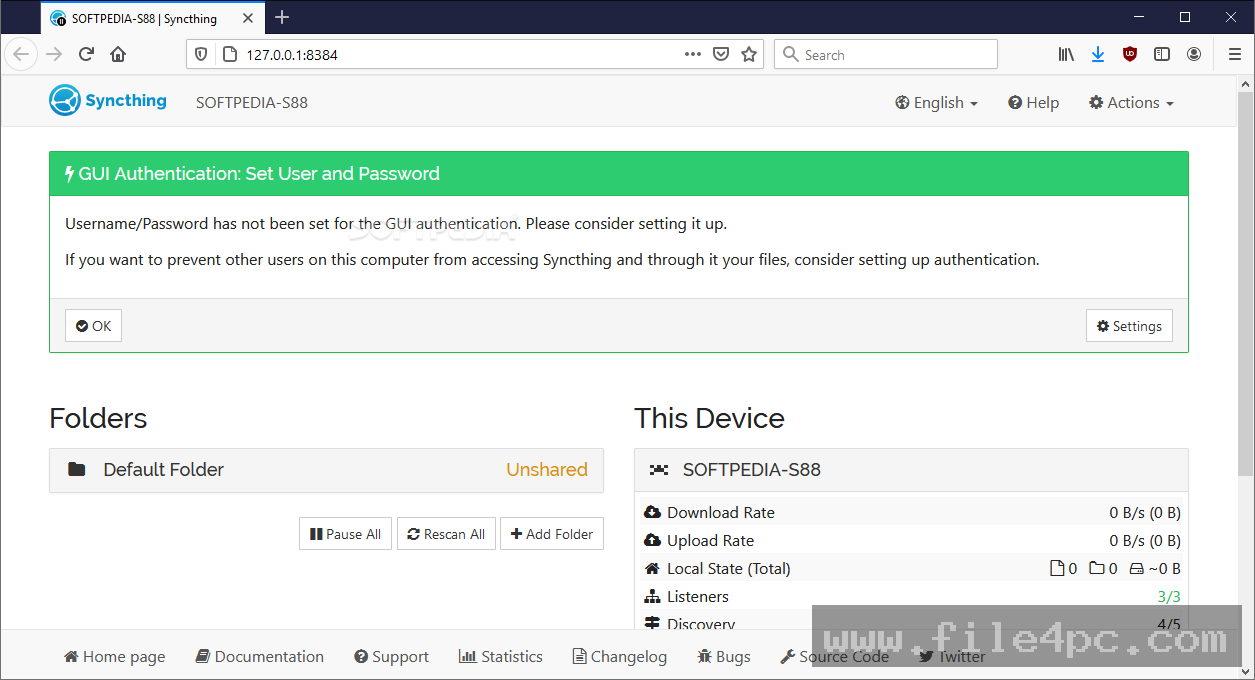
Web-Based Management Interface The application runs a lightweight local web server that acts as your control dashboard. You can access this interface via your web browser to monitor transfer speeds, inspect connection statuses, add shared folders, and configure device trust links.
How Syncthing PC Software Works
The operational model relies on establishing mutual device trust and configuring shared directory paths across your local machines.
To begin, you install the application on your primary Windows PC and any secondary devices you want to sync, such as a laptop, a home server, or an Android phone. When you launch the service for the first time, it generates a unique cryptographic Device ID for your computer.
Next, you connect your devices. In the web dashboard, you add your secondary device by pasting its Device ID. Once the secondary device accepts the connection request, both computers establish a trusted cryptographic link.
After linking devices, you designate which folders you want to share. You assign a folder ID and select a local directory path on your PC (such as your Documents or Photos folder). You share this folder configuration with your trusted peer device. As soon as both sides agree to share the folder, the background engine scans the files, builds cryptographic block hashes, and begins synchronizing data immediately.
Benefits and Limitations
Evaluating the utility requires balancing its privacy and cost advantages against its network configuration requirements.
Benefits
The most significant advantage is absolute data ownership and privacy. Your files never reside on a commercial cloud server, eliminating subscription fees, storage caps, and data harvesting concerns. There are no artificial file size limits, allowing you to sync massive multi-terabyte media archives smoothly. Furthermore, because it is open-source software distributed under the Mozilla Public License, it contains no telemetry, ads, or hidden tracking scripts.
Limitations
The primary restriction is that syncing requires both devices to be powered on and connected to the network simultaneously, unlike cloud services where files sit permanently on a remote server waiting to be downloaded. Additionally, setting up connections across different home networks behind strict routers can sometimes require configuring port forwarding or relying on public relay servers if direct UPnP traversal fails.
What's New
The open-source development team maintains a steady release schedule, continuously refining sync protocols and web dashboard usability.
Key recent improvements include:
-
Enhanced QUIC protocol transport integration for faster connection handshakes and improved traversal across difficult network firewalls.
-
Optimized database indexing routines that reduce memory overhead when scanning directories containing millions of small files.
-
Refined graphical web interface themes, including improved mobile responsiveness and dark mode contrast adjustments.
-
Updated cryptographic libraries complying with modern security standards.
Installation and Setup
Installing the application on a Windows PC is straightforward and lightweight.
You download the official installer or portable archive directly from the project's official website. Run the setup wizard to install the application as a background service or standard desktop program.
Upon completion, the software automatically opens your default web browser to the local management dashboard (typically [http://127.0.0.1:8384](http://127.0.0.1:8384)). Before adding sensitive folders, it is recommended to open the dashboard settings and set an administrative username and password to prevent unauthorized local access to your sync controls.
Tips for Using Syncthing PC Software
If you plan to sync files while away from home, configure a static local IP address for your primary PC and enable UPnP on your router. This ensures your devices establish direct, high-speed connections without routing data through public relay servers.
Take advantage of the Ignore Patterns feature (.stignore). By creating an ignore list inside a shared folder, you can prevent temporary system files, cache folders (like node_modules or .DS_Store), and large build artifacts from syncing unnecessarily across your devices.
When working with large initial folder syncs, connect your computers via a wired Ethernet network or place them on the same Wi-Fi network to complete the initial block verification phase rapidly before taking devices out on mobile networks.
Modern Alternatives
Depending on whether your priority is decentralized peer-to-peer sync or traditional cloud storage convenience, several alternatives exist.
Resilio Sync (formerly BitTorrent Sync) is a proprietary, high-speed file synchronization tool built on BitTorrent protocol technology. It offers very fast multi-threaded file transfers and simple folder sharing, but operates under a closed-source commercial model with paid pro features.
Nextcloud is an open-source, self-hosted productivity and file-sharing platform. Unlike direct peer-to-peer syncing, Nextcloud requires a central home server or VPS running a web stack, acting as your own private cloud storage provider accessible from anywhere.
Google Drive and Microsoft OneDrive are traditional commercial cloud storage services. They provide effortless file hosting and automatic cloud backups with zero configuration required, but involve ongoing monthly subscription fees and require trusting third-party corporations with your private data.
Who Should Use Syncthing PC Software?
This software is ideal for privacy-focused users, photographers, developers, and tech enthusiasts who manage multiple computers and want to keep directories synchronized across devices without paying for commercial cloud storage. It is particularly useful for individuals with large media collections who want fast, direct local-network transfers.
However, casual users who want a simple "set-and-forget" cloud backup service that works instantly without managing network settings or keeping multiple devices powered on may prefer traditional cloud providers instead.
FAQ
Is Syncthing PC Software completely free?
Yes, the application is 100% free and open-source software with no hidden costs, premium tiers, or subscription fees.
Do my files get uploaded to a public cloud server?
No. Files transfer directly between your own devices over your local network or encrypted peer-to-peer internet connections. No third-party server ever stores a copy of your decrypted files.
Can I sync files between my PC and an Android phone?
Yes. Official and community-supported mobile applications are available for Android, allowing seamless background syncing between your PC and mobile device storage.
What happens if my devices are offline when I modify a file?
Changes are queued locally. As soon as the offline device reconnects to the network and establishes a link with your other peer devices, the synchronization engine detects the changes and updates the files automatically.
Conclusion
Syncthing PC Software offers a secure, decentralized solution for keeping your files synchronized across multiple computers and devices without relying on third-party cloud storage. By replacing commercial subscriptions with direct peer-to-peer encryption and block-level transfers, it grants users complete ownership and privacy over their digital workflows.
While it requires an initial setup phase and benefits from having participating devices powered on, its zero-cost open-source model and robust performance make it an indispensable tool for privacy-conscious users. For anyone seeking a fast, private, and serverless way to keep their files identical across endpoints, it provides an exceptional operational framework.
💬 0 Comments
✍ Leave a Comment