
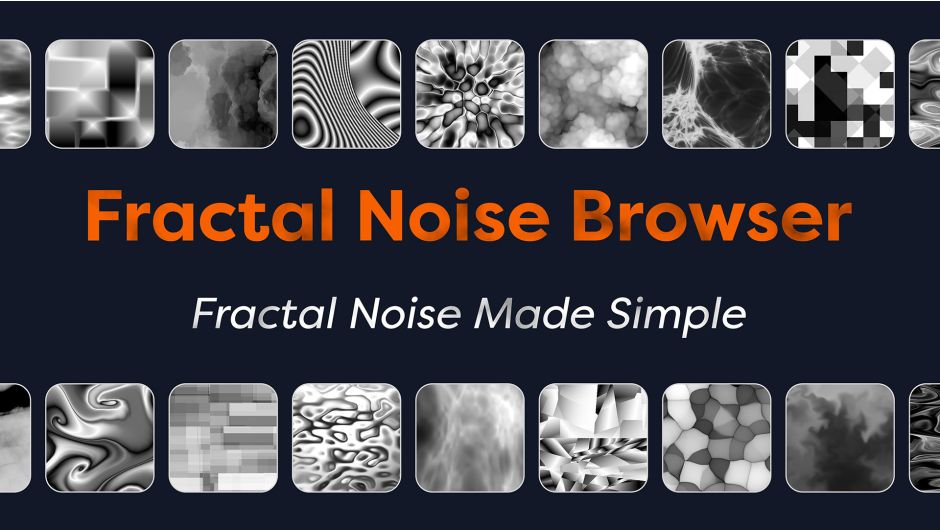
Aescripts Fractal Noise Browser 2026 PC Software is a workflow extension for Adobe After Effects that changes how motion designers and visual effects artists interact with procedural noise effects. Standard procedural noise plugins like Fractal Noise, Turbulent Noise, and Curl Noise offer vast creative potential, but exploring their settings often requires tedious slider adjustments and trial-and-error tweaks.
This software replaces blind parameter adjustments with a visual library featuring over 300 curated presets, complete with high-resolution thumbnails and animated previews. Motion graphic artists, visual effects artists, graphic designers, and video editors who frequently build atmospheric backgrounds, organic textures, glitch effects, smoke, or abstract animations can use this extension to streamline asset generation and eliminate guesswork.
You May Also Like :: Black NotePad PC Software
Key Features
Visual Preset Library with Animated Previews
The extension organizes over 300 curated noise presets into accessible categories like organic textures, atmospheric fog, grunge, glitch patterns, and abstract forms. Rather than relying on static images, animated previews display how the noise behaves over time. This allows creators to evaluate movement, scale, and pattern dynamics before applying an effect to their timeline.
Support for Procedural Noise Engines
The panel supports standard native procedural noise algorithms in After Effects:
-
Fractal Noise: Ideal for structured procedural generation and GPU-accelerated performance.
-
Turbulent Noise: Best suited for complex organic movement and liquid-like distortion.
-
Curl Noise: Added in recent software builds, providing fluid visual dynamics for natural liquid and turbulence simulations.
The interface assigns automatic visual badges (FN, TN, and CN) to clarify which underlying effect powers each preset.
One-Click Application and Replacement
Presets can be applied instantly by double-clicking a thumbnail or selecting a preset and clicking the Apply button. The tool manages existing layer stacks cleanly: users can choose to add a new noise instance or seamlessly swap out an existing noise effect while retaining its original position in the effect hierarchy.
Built-in Evolution Animation and Seamless Looping
Animating procedural noise manually requires setting up keyframes or expressions on the Evolution control. The browser simplifies this workflow by offering built-in animation toggles. Users can automatically apply continuous Evolution expressions with custom speed settings or create seamless loops for looping background videos and lower-thirds.
Custom User Preset System
Beyond the included stock presets, artists can build and save their own procedural noise templates. The user presets tab supports custom folder hierarchies, custom PNG/JPG thumbnail renders, and loopable MP4/MOV animated previews.
Yoy May Also Like :: Aescripts Keystone 3
Random Seed Generator
When a preset matches a scene's overall style but requires a distinct variation, the Randomize Seed feature instantly alters the internal noise pattern without resetting scale, contrast, or animation parameters.
How Aescripts Fractal Noise Browser 2026 PC Software Works
The workflow centers on visual selection rather than slider manipulation. Once installed, the extension operates as an integrated HTML5 CEP extension panel within After Effects.
[Select Target Layer in Timeline]
               │
               ▼
 [Open Extension: Window > Extensions]
               │
               ▼
  [Browse Categories & Preview Motion]
               │
               ▼
[Set Animation / Looping / Seed Preferences]
               │
               ▼
 [Double-Click Preset to Apply to Layer]
-
Setup: The artist opens After Effects and selects a target solid layer, shape layer, or footage element.
-
Launch Panel: Access the tool via
Window > Extensions > Fractal Noise Browser. The dockable panel can be resized or snapped anywhere within the workspace. -
Browsing: Users navigate collapsible categories (such as Smoke, Fire, Liquids, Glitch, and Sci-Fi) to view animated thumbnail previews.
-
Applying Settings: Before applying, users can enable options like Randomize Seed, adjust Evolution Speed, or toggle Seamless Loop.
-
Execution: Double-clicking an item adds or replaces the procedural noise effect on the selected layer. Parameters remain fully editable within standard After Effects controls for fine-tuning.
Benefits and Limitations
Benefits
-
Accelerated Creative Workflow: Saves hours during client work by replacing slow slider adjustments with instant visual feedback.
-
Clean Interface Integration: Dockable CEP panel keeps workspace clutter minimal while maintaining access to noise styles.
-
Customization: Full support for custom preset directories allows studios to maintain brand-consistent noise styles.
-
GPU Acceleration Awareness: Native integration leverages fast GPU processing available in modern After Effects releases.
Limitations
-
After Effects Requirement: The extension is an add-on, not a standalone software program. It cannot operate without a host installation of Adobe After Effects.
-
Manual Custom Thumbnail Creation: Saving custom user presets requires manual rendering of thumbnail images and preview videos.
-
Host Feature Dependency: Advanced noise algorithms like Curl Noise require specific recent updates of Adobe After Effects.
What's New
The version 1.2 update cycle introduced major improvements:
-
Curl Noise Integration: Added support and presets for Curl Noise (requiring After Effects 24.3/25+ builds), unlocking fluid motion dynamics.
-
Expanded Library: The preset collection expanded past 300 curated assets.
-
Dedicated User Presets Tab: Re-organized user presets into a separate tab with automated badge detection for
.ffxfiles. -
Enhanced Layer Management: Improved effect replacement behavior so swapped noise effects maintain their exact position in the layer's effect stack.
Installation Steps
-
Close Adobe After Effects before beginning installation.
-
Download the official installer package provided by Aescripts or use the aescripts + aeplugins manager app for automated installation.
-
Run the installer to place extension files into the system CEP extensions directory.
-
Launch After Effects. Ensure third-party scripts are allowed by navigating to
Preferences > Scripting & Expressionsand verifying that Allow Scripts to Write Files and Access Network is enabled. -
Open the panel via
Window > Extensions > Fractal Noise Browser. -
Enter your license code if prompted, or choose the trial mode (which limits access to the first seven presets in each category).
Tips for Using Aescripts Fractal Noise Browser 2026 PC Software
-
Layer Stacking with Blending Modes: Avoid using a single noise layer. Apply one preset on a background solid, duplicate the layer, apply a secondary preset with a different scale, and set the top layer's blend mode to Screen, Overlay, or Soft Light to create multi-layered visual depth.
-
Driven Displacement Maps: Use applied noise layers as source maps for the native Displacement Map effect or third-party plugins. This turns flat noise into realistic heat distortion, water ripples, or glitchy text wipes.
-
Combine with Color Grading Tools: Pair the panel with color tools like Colorama Browser or standard color correction effects. Procedural noise generates grayscale intensity values; mapping color ramps onto these patterns turns basic noise into glowing lava, mist, or stylized graphics.
Modern Alternatives
While Aescripts Fractal Noise Browser 2026 PC Software focuses on browsing native After Effects noise tools, artists often use complementary workflow tools:
-
Aescripts Colorama Browser: A sister extension focused on color management. It provides visual browsing for over 350 gradient presets to colorize grayscale noise layers.
-
Native AE Animation Presets: After Effects includes built-in
.ffxpresets via the Effects & Presets panel. However, native browsing lacks animated video previews and instant loop generator controls. -
Third-Party Texture Generators: External plugins such as Boris FX Continuum or Maxon Trapcode Suite offer proprietary noise generators. These plugins require external rendering engines, whereas the Fractal Noise Browser enhances After Effects' native, lightweight render pipeline.
Who Should Use Aescripts Fractal Noise Browser 2026 PC Software?
This extension is well suited for:
-
Motion Designers: Professionals who need fast, stylized motion backgrounds, overlays, or abstract elements without manually configuring complex noise parameters.
-
VFX Artists: Compositors generating quick atmospheric passes like ground fog, smoke overlays, or environmental grunge maps.
-
After Effects Beginners: Users who struggle with the complex mathematics of noise parameters can use visual previews to understand how different noise types behave.
-
Production Studios: Teams that require standardized preset libraries across multiple artist workstations.
FAQ
Is Aescripts Fractal Noise Browser a standalone video editor?
No. It is an extension panel designed specifically to run inside Adobe After Effects.
Can I try the software before purchasing a commercial license?
Yes. The software offers a free trial mode that allows users to test functionality, though preset selection is restricted to the first seven presets in each category.
Does the extension work with third-party noise plugins?
The extension is designed specifically to drive After Effects' native procedural noise engines: Fractal Noise, Turbulent Noise, and Curl Noise.
How do seamless loops work in the browser?
The panel configures keyframe ranges on the Evolution parameter specifically timed to create smooth, non-repeating transitions without requiring complex looping expressions.
Conclusion
Aescripts Fractal Noise Browser 2026 PC Software is a utility that replaces repetitive parameter tweaking with a visual preset management system. By combining over 300 animated presets, automatic looping features, custom library support, and multi-engine compatibility, it helps motion graphic artists produce procedural visuals in less time.
Whether you need complex liquid simulations using Curl Noise or quick background overlays for client projects, this tool provides an intuitive approach to asset generation. For artists working heavily in Adobe After Effects, integrating Aescripts Fractal Noise Browser 2026 PC Software into the daily editing layout offers an effective way to simplify technical tasks and keep focus on creative design.


💬 0 Comments
✍ Leave a Comment