

Full Convert Ultimate PC Software is a robust database migration and conversion utility designed to help database administrators, developers, and data analysts transfer data seamlessly between dozens of different database engines. Moving information from one database format to another has traditionally been a tedious challenge requiring custom scripts, manual mapping, and constant troubleshooting. This desktop application provides a streamlined, user-friendly interface that automates the complex heavy lifting of schema creation, data type mapping, and bulk record transfer. Whether you are modernizing an aging backend architecture, consolidating data silos, or migrating client records to a modern cloud server, the software offers a structured environment to accomplish the task efficiently.
Overview
Database management requires precision, and transitioning data across disparate systems often introduces errors, truncation issues, or formatting clashes. The software acts as a reliable bridge across more than forty different database formats, spanning file-based systems, traditional relational databases, and modern enterprise platforms. Instead of forcing technical teams to write custom migration scripts from scratch, the application provides an intuitive wizard-driven workflow that interprets source structures and builds corresponding target schemas automatically.
The tool is developed by Spectral Core, a team with extensive experience in database utilities and modernization software. It targets professionals who handle large volumes of records and need to ensure that every single row, constraint, and data type translates correctly without unexpected corruption. While simple database transfers can sometimes be handled with basic export scripts, enterprise environments demand a specialized utility that can manage billions of records, verify integrity, and handle complex cross-platform conversions with minimal downtime.
Key Features
The application brings together a comprehensive toolset engineered specifically for deep data migration and synchronization tasks.
-
Direct Database Connections: The software connects directly to popular database engines without requiring complex intermediate drivers, supporting fast socket and native protocol communication.
-
Intelligent Schema and Table Mapping: Users can examine source structures, rename tables, adjust column properties, and customize data type translation rules before executing any migration.
-
Massive Scalability: Built to process enormous datasets, the tool handles large databases and tables containing billions of records smoothly without exhausting system resources.
-
Built-in Data Comparison: After a migration finishes, the integrated comparison engine checks source and target tables side by side to ensure absolute data fidelity and identify any discrepancies.
-
Automated Scheduling: The internal scheduler allows administrators to run repetitive migration tasks or one-way synchronizations during off-peak hours automatically.
-
Unicode Support: Full international character set support ensures that special symbols, non-ASCII text, and multi-language entries transfer accurately across platforms.
Your May Also Like :: Firetrust MailWasher Pro PC Software
How Full Convert Ultimate PC Software Works
Operating the utility involves a clear, sequential workflow designed to reduce user error during critical data transfers.
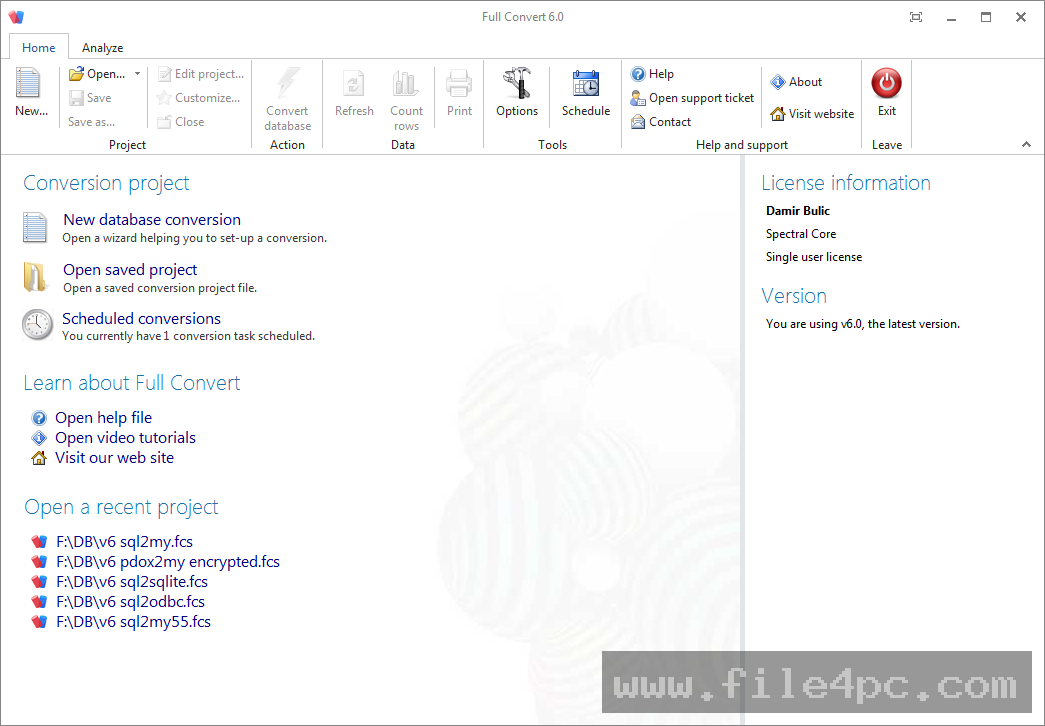
The process begins when you install the software on a compatible Windows workstation and launch the main application dashboard. You first select your operational mode, choosing whether you want to perform a full table copy, set up ongoing replication, or run a data comparison. Next, you connect to your source database by providing the necessary server address, credentials, and authentication details. The software reads the source structure instantly and presents a clear overview of available tables and schemas.
You then connect to your target database using similar connection parameters. Once both endpoints are established, the application analyzes the source schema and automatically proposes a compatible target structure, mapping text fields, integers, dates, and binary objects to their closest logical equivalents. Users retain full control to override these defaults, cherry-pick specific tables, or modify individual column settings.
Before running the final transfer, it is wise to test the connection parameters and review the mapping summary to prevent unintended data overwrites. When you initiate the conversion, multi-threaded workers execute the transfer in parallel, maximizing throughput. Upon completion, the software delivers a detailed log detailing row counts, execution times, and any warnings encountered along the way.
Benefits and Limitations
Benefits
The primary advantage of the software is its speed and versatility across a vast array of database engines. By eliminating manual script writing, it saves hundreds of engineering hours and significantly reduces the risk of data omission or formatting errors. The inclusion of post-migration verification tools provides confidence that data has landed correctly in the new environment. Furthermore, its ability to handle incremental synchronization keeps secondary systems updated without requiring full data reloads every time.
Limitations
Despite its power, the software comes with notable constraints. It is an advanced commercial product requiring a significant financial investment, which may place it out of reach for casual users or small independent developers. The application environment is optimized specifically for Windows desktop operating systems, meaning users operating entirely within Linux or macOS environments must use a Windows machine or virtual environment to run it. Additionally, while the automated wizards simplify standard tasks, mastering advanced custom mappings and handling complex enterprise database exceptions still requires a solid understanding of database administration principles.
What's New
Recent updates to the software platform focus heavily on stability, memory optimization, and enhanced replication accuracy. Development teams have refined multi-threaded worker handling to prevent deadlocks when creating or dropping complex foreign key constraints across large database sets.
Recent releases also introduce improved memory management for 32-bit and 64-bit execution profiles, allowing the application to process significantly larger projects without running into memory allocation limits. Additional adjustments include refined data type mappings for warehouse targets, better handling of regional datetime settings, and expanded support for specialized database column types.
Installation and Setup
Installing the utility requires standard administrator privileges on a Windows computer to ensure proper system file placement and license validation. Users should always download the official installer directly from the authorized developer portal to guarantee file integrity and avoid modified or compromised binaries.
Run the setup executable and follow the prompts presented by the installation wizard. During initial setup, the application may require an active internet connection to verify your license key or activation code. It is critical to ensure that your local firewall or security software does not block the application from establishing outbound communication required for license verification and database driver initialization.
Tips for Using Full Convert Ultimate PC Software
Getting the best results from your database migration projects involves following a few proven operational practices:
-
Test with Small Samples First: Before executing a full production migration involving millions of records, run a test conversion on a small subset of tables to verify mapping accuracy.
-
Leverage Data Comparison Tools: Always run the built-in comparison feature after a migration completes to confirm that record counts and data values match identically.
-
Schedule During Off-Peak Hours: Utilize the built-in scheduler to perform heavy data transfers or synchronization routines at night when database server loads are lowest.
-
Backup Production Data: Always create a fresh, verified backup of your source database before initiating any major migration or table recreation procedure.
Modern Alternatives
Organizations seeking database movement utilities often evaluate various alternatives depending on their specific technical stack and budget constraints. Native command-line utilities provided by database vendors offer zero-cost data transfer options, though they typically lack unified graphical interfaces and cross-platform flexibility. Third-party ETL tools and universal database management clients provide varying levels of data import and export functionality, ranging from simple CSV table loaders to complex enterprise data pipelines. Selecting the right alternative depends on whether you require a self-contained desktop migration wizard or a fully automated enterprise data integration platform.
Who Should Use Full Convert Ultimate PC Software?
This software is tailored specifically for database administrators, software engineers, data migration specialists, and IT consultants who regularly manage multi-platform database environments. It provides immense value to organizations transitioning from legacy database systems to modern cloud infrastructures or consolidating disparate departmental databases into a unified corporate repository.
Conversely, hobbyists, students, or casual users who only need to convert a simple spreadsheet into a local SQLite file will find the advanced features and commercial cost of this utility unnecessary. Similarly, teams lacking dedicated database oversight may find that simpler, single-purpose migration tools better match their operational scope.
FAQ
Can the software convert databases directly without third-party drivers?
Yes, the application connects directly to over forty popular database engines using native protocols and optimized connection layers without requiring cumbersome external middleware installations.
Does the application modify or write to my source database?
No, the tool operates in a read-only capacity on the source database during data extraction, ensuring your original production data remains entirely safe and unmodified.
Can I automate recurring data synchronization tasks?
Yes, the software features a built-in scheduler that allows you to configure automated, recurring data copies or one-way synchronizations to run in the background at specified intervals.
What happens if a database migration process is interrupted?
The application includes robust error handling and recovery features, allowing workers to manage connection hiccups and resume operations safely without corrupting target tables.
Conclusion
Full Convert Ultimate PC Software provides a dependable, structured solution for professionals tackling complex database migration and synchronization challenges. Its extensive multi-platform support and automated mapping tools eliminate much of the friction traditionally associated with cross-database projects.
Assessing your specific data volume, database engine variety, and project timeline will help determine if this advanced conversion utility meets your organizational requirements. For teams seeking a robust, time-saving environment to manage data movement securely, it stands out as a highly capable asset.

💬 0 Comments
✍ Leave a Comment