
Firetrust MailWasher Pro PC Software is a specialized email preview and spam filtering utility designed to let Windows users inspect, manage, and delete unwanted messages directly from the mail server before downloading them to local email clients. In an era where digital inboxes are constantly flooded with phishing attempts, promotional clutter, and malicious attachments, controlling incoming correspondence is essential for digital safety. This desktop application provides an effective pre-screening layer that stops junk mail at the server level, preventing malicious payloads from ever reaching your local computer storage.
Overview
Managing digital correspondence efficiently has become a daily challenge for professionals and home users alike. Traditional email programs often download every incoming message automatically, exposing users to spam, tracking pixels, and potential malware before any filtering rules can take effect. When a mailbox accumulates hundreds of unwanted messages, sorting through them wastes valuable time and increases security risks.
This utility addresses that challenge by operating as an independent gateway between your email server and your primary mail client. It is built for individuals who manage multiple email accounts and require a reliable method to clean their mailboxes before synchronized devices pull the data down. Rather than acting as a full mail client itself, the application focuses entirely on inspection, filtering, and safety verification.
Your May Also Like :: Exacoustics GHOST PC Software
Key Features
The application incorporates a targeted toolset built specifically for pre-screening email traffic and isolating malicious content.
-
Server-Side Email Preview: The software downloads only the headers and text summaries of incoming messages, allowing users to examine content safely without triggering remote images or scripts.
-
Bayesian Spam Filtering: Intelligent learning algorithms analyze incoming patterns and automatically assign spam ratings, improving accuracy over time based on user feedback.
-
Custom Blacklists and Whitelists: Users can establish explicit rules to block specific senders, domains, or keywords immediately, or ensure trusted contacts always bypass filters.
-
Bounce Back Functionality: The application can send a realistic delivery failure notification back to spammers, making your address appear inactive and reducing future junk mail volume.
-
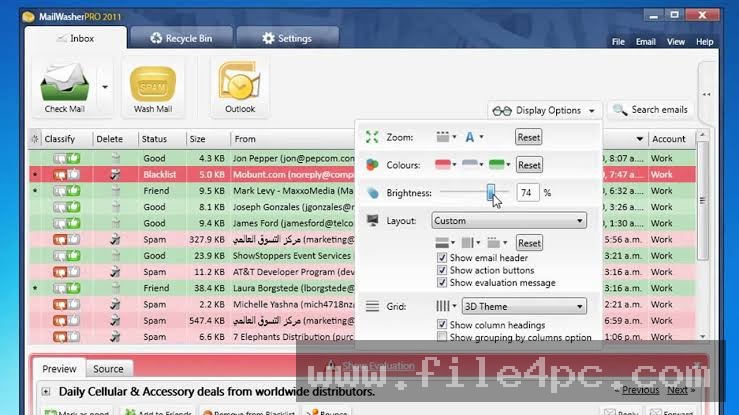
Multiple Account Management: The interface consolidates numerous email accounts into a single dashboard, supporting standard protocols like POP3, IMAP, and webmail services.
How Firetrust MailWasher Pro PC Software Works
Operating the application integrates smoothly into your daily communication routine without requiring you to abandon your preferred email program.
The process begins when you install the software on a Windows computer and input your standard email account credentials, including incoming server addresses and passwords. Instead of letting your main client fetch mail automatically, you configure the application to check your mailboxes on a scheduled interval or via a manual button click.
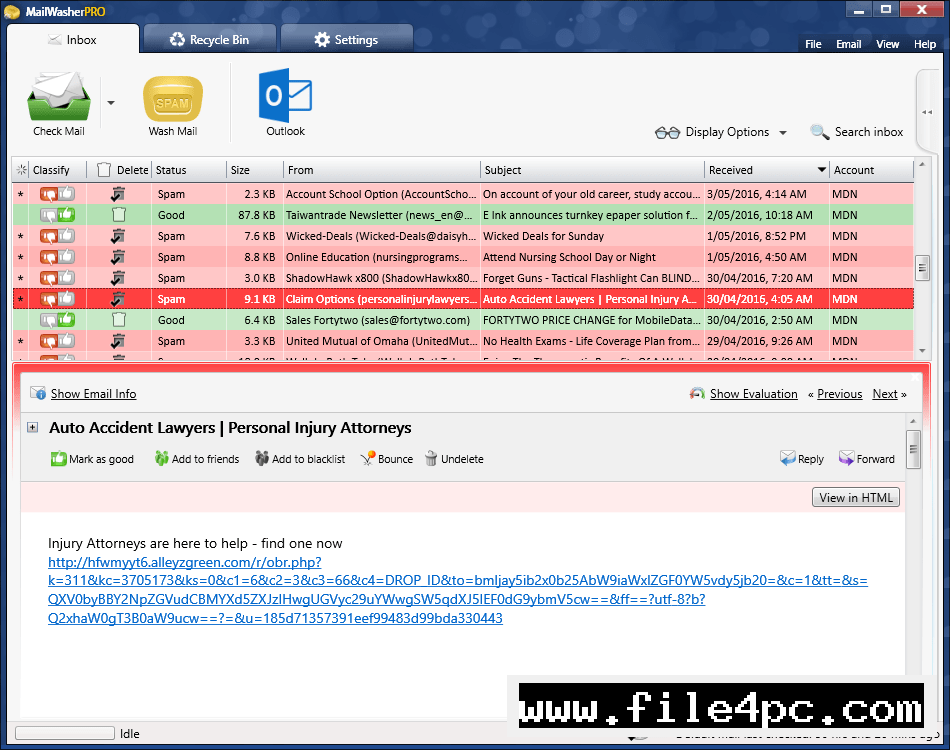
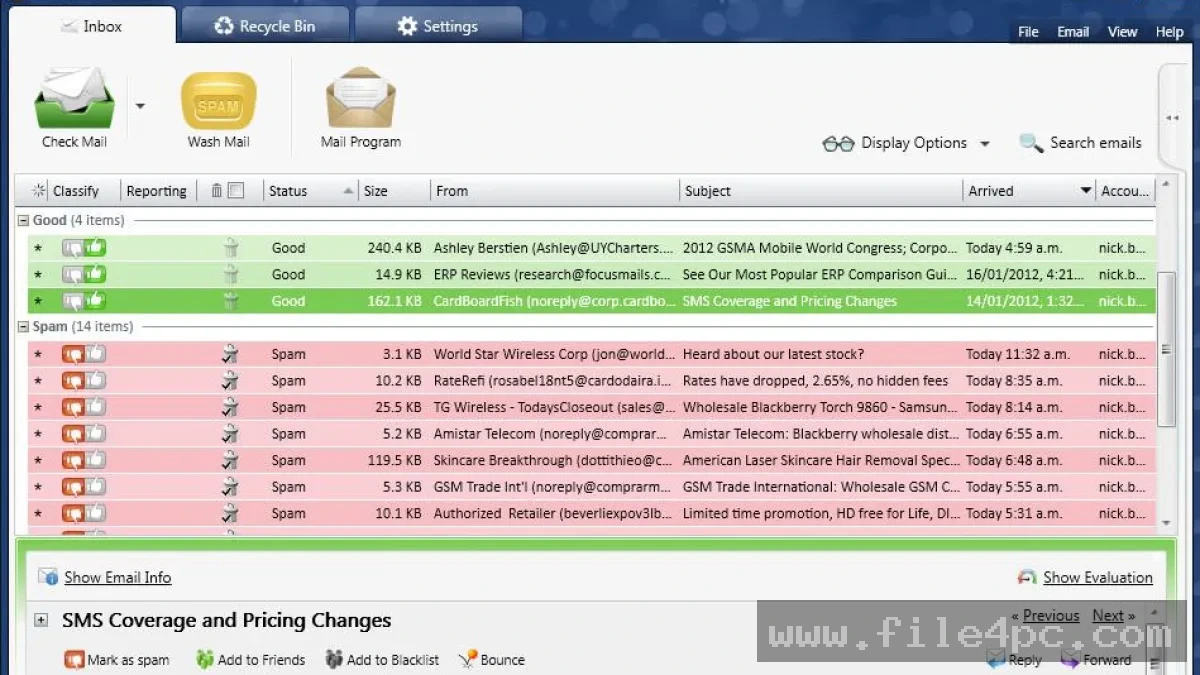
Upon connecting to the server, the software retrieves message headers and runs them through its evaluation filters, highlighting suspected spam in distinct colors. You open the application interface to review the incoming list, where you can select junk messages for deletion and mark legitimate emails for preservation. Once you clear the unwanted items from the server, you launch your standard email client to download only clean, verified correspondence.
Benefits and Limitations
Benefits
The primary advantage of the software is its ability to block spam and dangerous attachments before they enter your local system, minimizing virus exposure. By letting you delete unwanted mail directly from the server, it saves valuable internet bandwidth and reduces inbox clutter. Furthermore, the centralized management of multiple email accounts streamlines daily correspondence checks.
Limitations
The application requires a paid commercial license for full professional features after the evaluation period ends. It is also restricted exclusively to Windows desktop environments, meaning users on macOS or mobile platforms cannot run it natively. Additionally, setting up multiple secure IMAP or OAuth accounts requires a basic understanding of server settings and incoming port configurations.
What's New
Recent software development focuses on improving compatibility with modern secure authentication standards, including OAuth protocols used by major webmail providers. Developers have refined the spam analysis engine to better detect sophisticated phishing attempts and hidden tracking scripts embedded in modern HTML emails.
Routine maintenance updates also enhance overall application stability on current Windows operating system builds, ensuring reliable connection speeds when polling multiple high-volume mail servers simultaneously.
Installation and Setup
Installing the utility requires standard administrator privileges on a Windows computer to ensure proper application file placement and secure credential storage. Users should always obtain the official installation package directly from the verified developer website to maintain file integrity and security.
Run the downloaded installation executable and follow the prompts provided in the setup wizard. During the initial configuration phase, carefully enter your email server details, port numbers, and security protocols for each account you wish to monitor. Always test the connection settings before completing the setup to ensure the software communicates correctly with your mail servers.
Tips for Using Firetrust MailWasher Pro PC Software
Optimizing your daily email filtering routine involves adopting a few practical usage habits:
-
Train the Filter Regularly: Actively mark misclassified messages as spam or friend to help the Bayesian learning engine adapt to your specific correspondence patterns.
-
Use Caution with Bouncing: Avoid bouncing emails from major institutional domains or known organizations, as automated spam networks frequently spoof innocent return addresses.
-
Schedule Automatic Checks: Configure the software to poll your servers at reasonable intervals so your inbox remains clean throughout the day without constant manual intervention.
-
Review Before Deletion: Take a brief moment to scan the preview window before purging flagged items to ensure legitimate newsletters or notifications are not accidentally caught in the filter.
Modern Alternatives
Alternative solutions exist for managing unwanted email traffic. Cloud-based email providers such as Gmail and Outlook incorporate robust server-side spam filters that operate automatically without local software installation. Third-party antivirus suites often include integrated email scanning modules that check incoming messages within local mail clients. Dedicated desktop mail clients also feature built-in junk filters and rule-based sorting tools. Choosing among these alternatives depends on whether you prefer automated cloud filtering or granular local control over your server mailboxes.
Who Should Use Firetrust MailWasher Pro PC Software?
This application is well-suited for professionals, small business owners, and heavy email users who manage multiple accounts and receive high volumes of daily spam. It is particularly helpful for individuals who want an extra layer of security against malicious attachments and phishing attempts before messages reach their primary devices.
Conversely, casual users who rely entirely on modern webmail interfaces with built-in server filtering will find little practical need for a dedicated desktop pre-screening utility. Similarly, users operating outside the Windows ecosystem or relying strictly on mobile phones and tablets must look for alternative cloud-based solutions.
FAQ
Does the software work with webmail accounts like Gmail?
Yes, the application supports major webmail services alongside standard POP3 and IMAP protocols, provided proper server access and authentication methods are configured.
Can MailWasher Pro remove viruses from my computer?
The software is designed to filter and delete unwanted or suspicious emails from the server before they download, serving as a preventative screening tool rather than an active system antivirus scanner.
Do I still need my regular email client?
Yes, the software acts as a pre-filtering inspection tool rather than a full mail client, meaning you will still use programs like Outlook or Thunderbird to read and reply to clean messages.
Is an internet connection required for the application to function?
An active internet connection is required to poll mail servers, download message headers, and execute server-side deletions.
Conclusion
Firetrust MailWasher Pro PC Software offers a reliable, server-side approach for Windows users seeking to control spam, eliminate clutter, and enhance email security. By intercepting correspondence before it reaches local clients, it puts users back in command of their digital inboxes.
Evaluating your daily email volume and account structure will help determine whether this pre-screening utility fits your workflow requirements. For anyone looking to secure their communication channels and stop junk mail at the source, it provides a dependable environment.
💬 0 Comments
✍ Leave a Comment