

Coolutils PDF Splitter Pro PC Software is a specialized document utility created for Windows computers to help users divide large PDF files into smaller, more manageable sections, extract specific pages, or organize bulky document archives. In professional office environments, digital archives frequently expand into hundreds or thousands of pages, making them difficult to share via email or review efficiently. This desktop tool provides a structured environment for breaking down massive files using customizable rules like page ranges, blank pages, or text bookmarks.
Overview
Managing digital paperwork often involves handling multi-page documents that combine various reports, forms, or invoices into a single bulky file. While standard PDF readers allow viewing, they rarely provide flexible tools for dissecting or reorganizing document structures without manual page-by-page extraction. This utility addresses that administrative challenge by offering automated splitting workflows designed to save time and streamline digital file management.
The application is built for administrative assistants, legal professionals, accountants, and office managers who regularly process large volumes of PDF documentation on Windows systems. Operating locally on your computer, the software handles resource-heavy files without uploading sensitive data to external servers. Its interface is designed to keep file organization straightforward, allowing users to configure custom splitting parameters quickly and accurately.
Key Features
The utility incorporates several targeted tools aimed at making document division precise and efficient.
-
Bookmark-Based Splitting: The software can analyze existing PDF bookmarks and automatically split a large document into separate files at each bookmark level, making it ideal for structured reports and eBooks.
-
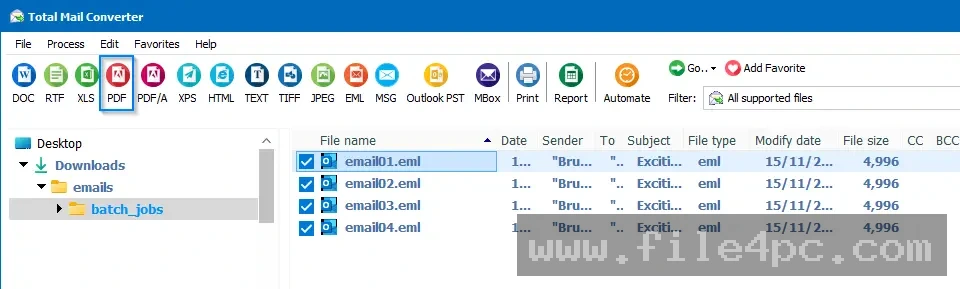
Batch Processing Support: Users can queue up dozens of PDF files simultaneously and apply identical splitting rules across the entire batch, drastically reducing repetitive tasks.
-
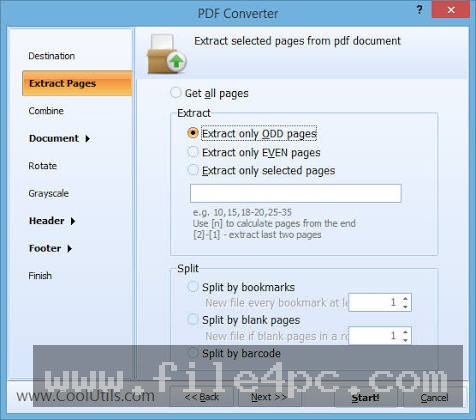
Page Range Extraction: Creators can extract custom page sequences, such as separating pages 1 through 10 from a 500-page archive, into standalone documents.
-
Blank Page Detection: The utility can automatically detect and split documents wherever a blank page occurs, which is particularly useful for scanned paperwork bundles.
-
Command-Line Execution: Advanced users can integrate the tool into automated scripts and scheduled tasks for hands-free document processing.
Your May Also Like :: Clip Studio Paint EX PC Software
How Coolutils PDF Splitter Pro PC Software Works
Operating the application follows a clear, step-by-step workflow designed to minimize complexity during routine document tasks.
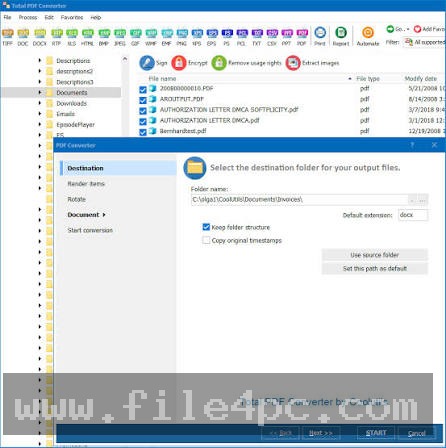
First, the user obtains the installation setup file from the official developer website and completes the standard installation wizard on their Windows machine. Upon opening the application, the built-in folder tree allows the user to browse their local storage drives and select the target PDF file they wish to modify. Once the file is selected, the main workspace displays available splitting criteria, such as splitting by every page, by specific page ranges, by bookmark levels, or by file size limits.
After selecting the preferred splitting method and defining the output folder destination, the user initiates the process with a single command. The software processes the file in the background, generating clean, independent PDF files corresponding to the chosen rules. Users should always keep a backup copy of their original documents before running automated batch splits to prevent accidental overwriting of source files.
Benefits and Limitations
Benefits
The primary advantage of using a dedicated document utility is the significant reduction in time spent organizing large files. Automated bookmark splitting eliminates the tedious need to manually check page numbers in lengthy reports. Additionally, local processing ensures complete privacy for confidential business documents, while batch capabilities allow users to clean up entire folder directories at once.
Limitations
Despite its utility, the software operates within specific technical boundaries. It is a commercial application requiring a valid paid license for full operational access beyond trial limitations. It is also designed strictly for Windows operating systems and cannot be installed natively on mobile platforms or alternative desktop environments. Furthermore, it focuses entirely on document splitting and extraction rather than general PDF editing or document creation.
What's New
Development updates for document utilities generally focus on improving processing stability, enhancing memory management for multi-gigabyte files, and refining compatibility with modern Windows operating system builds. Recent software revisions concentrate on optimizing the underlying rendering engine to handle complex vector-based PDF structures without lagging.
Developers also continue to refine command-line stability to ensure smooth integration with automated office server environments. These ongoing maintenance adjustments help keep the software responsive during intensive batch operations.
Installation and Setup
Installing the utility requires basic administrative privileges on the target Windows workstation to ensure proper file placement and registration. Users should always download installation packages directly from the official Coolutils website to guarantee file authenticity and security.
Run the downloaded setup executable and follow the prompts provided by the installation wizard. Choose your preferred destination directory and complete the final setup steps. Upon first launch, enter your registered license key to unlock full professional features if you are upgrading from a trial version. Review the default output settings to ensure split files are saved to your preferred storage location.
Tips for Using Coolutils PDF Splitter Pro PC Software
To achieve the best results when organizing your document archives, keep several practical guidelines in mind:
-
Preview Bookmarks First: Check the bookmark structure of your PDF before attempting a bookmark-based split to ensure the document breaks at the correct chapter intervals.
-
Utilize Batch Folders: Group similar PDF files into a single directory before running a batch split to process entire projects in one go.
-
Verify Output Names: Configure custom naming templates for output files so you can easily identify individual sections after the split concludes.
-
Keep Originals Intact: Always move or copy source files into a dedicated working folder to avoid modifying your master archive records accidentally.
Modern Alternatives
Several alternative utilities exist for users seeking different approaches to PDF management. Adobe Acrobat Pro provides a comprehensive suite of editing, splitting, and security tools for professional document workflows. PDFsam offers a split and merge utility with both free and enhanced paid editions, appealing to users seeking open-source options.
Other users rely on lightweight web-based PDF tools for quick, one-off document splitting tasks. Choosing between these alternatives depends on whether you require a local desktop utility, a complete editing suite, or cloud-based convenience.
Who Should Use Coolutils PDF Splitter Pro PC Software?
This software is well-suited for office administrators, legal assistants, financial analysts, and corporate archivists who regularly manage extensive PDF document libraries. It benefits professionals who need reliable, offline batch-processing tools to organize structured reports quickly.
Conversely, casual home users who only need to split a single PDF file once a year will likely find free online utilities or built-in browser tools sufficient. Similarly, graphic designers seeking advanced vector image editing capabilities will find dedicated illustration software far more appropriate.
FAQ
Can the software split a PDF based on bookmarks?
Yes, the application features dedicated bookmark splitting options that automatically divide a large document into separate files at each bookmark level.
Is an internet connection required to use the utility?
No, the software operates entirely offline on your local Windows computer, ensuring that your confidential documents remain private.
Can I process multiple PDF files at the same time?
Yes, the batch processing feature allows users to select multiple files or entire folders and apply splitting rules to all of them simultaneously.
Will splitting a PDF affect the quality of the text or images?
No, the splitting process extracts exact pages or sections without re-compressing or altering the visual quality of the original content.
Conclusion
Coolutils PDF Splitter Pro PC Software provides a reliable, efficient solution for organizing large PDF archives on Windows computers. By automating tedious splitting tasks through bookmarks, page ranges, and batch routines, it saves valuable time for office professionals.
Evaluating your daily document management needs will help determine whether this utility fits your workflow. For anyone handling massive digital paperwork archives and looking for a dependable local tool to streamline file organization, this application delivers practical value.
💬 0 Comments
✍ Leave a Comment