

Microsoft Support and Recovery Assistant PC Software (often referred to as SaRA) is an official diagnostic and troubleshooting application developed by Microsoft to identify and fix common issues across Microsoft 365, Office apps, Outlook, Windows, and OneDrive. Designed to act as an automated virtual support technician, it runs guided tests to analyze local configurations, registry keys, network paths, and account credentials. When an issue is detected, the program attempts to resolve it automatically or provides clear step-by-step instructions to fix the problem manually.
Operating locally on Windows desktops while communicating with cloud authentication endpoints, the utility serves everyday computer users, remote workers, enterprise employees, and IT support teams. Instead of spending hours searching through support forums or manually editing complex registry entries, users can rely on the assistant to diagnose email sign-in failures, Outlook crashes, activation errors, and synchronization loops.
Microsoft actively maintains the tool, providing continuous updates to its diagnostic rules and expanded support for modern enterprise setups across Windows 10 and Windows 11.
Key Features
The application incorporates a wide array of automated diagnostic tests, account verification routines, and system log collection modules.
Automated Microsoft 365 and Outlook Troubleshooting The core functionality centers around Microsoft 365 applications, with a heavy emphasis on Outlook. It resolves common problems such as Outlook failing to start, persistent password prompts, profile corruption, disconnected Exchange server status, and frozen email sync pipelines.
Your May Also Like :: Ruby Programming Language PC Software
Licensing and Activation Error Remediation When Office applications display "Unlicensed Product" errors or fail to activate after a subscription renewal, the software inspects local license tokens, removes stale identity credentials, and resets activation states to restore normal product access.
OneDrive and Teams Sync Diagnostics For users encountering file synchronization blocks or video conferencing login failures, the tool runs specialized network and account checks. It verifies OneDrive storage quotas, repairs damaged sync engines, and resets local Teams cache folders.
Enterprise IT Diagnostics and Advanced Logging System administrators can use the application to generate detailed diagnostic reports and log files. These reports analyze Outlook profile parameters, system registry settings, and network routes, making it easier for helpdesk technicians to escalate complex technical tickets.
Command-Line and Enterprise Deployment Support Alongside the standard graphical wizard, Microsoft provides a command-line version (SaRA CMD). This enables IT administrators to run background diagnostics and automated fixes quietly across multiple enterprise endpoints without requiring user interaction.
How Microsoft Support and Recovery Assistant PC Software Works
The operational workflow follows a simple, guided path from issue selection to automated repair.
To start, you launch the application from your desktop or Start Menu. The main screen presents a categorized list of Microsoft products and services, including Outlook, Office Apps, OneDrive, Dynamics 365, Teams, and Windows.
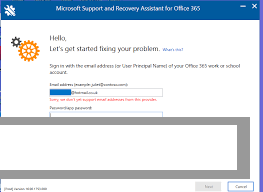
Next, you select the specific problem you are experiencing. For instance, if Outlook keeps asking for your password, you select Outlook, choose "Outlook keeps asking for my password," and click Next. The tool then prompts you to sign in with the affected Microsoft or work account credentials to perform authenticated network checks.
Finally, the assistant runs a series of background tests. It inspects local configuration settings, checks cloud server health, and tests local file permissions. If it finds a fixable issue, it prompts you to apply an automated repair. Once completed, it asks you to test the app to confirm that the problem is resolved.
Benefits and Limitations
Understanding both the diagnostic strengths and operational limits of this software helps determine when to rely on it.
Benefits
The primary advantage is time savings and accuracy. Automating complex troubleshooting routines eliminates manual trial-and-error work for users and helpdesk staff alike. The application is completely free to download, contains zero third-party advertising, and comes directly from Microsoft, ensuring safe handling of account credentials. Furthermore, its ability to clean up corrupted Outlook profiles and stale activation licenses solves persistent errors that standard app reinstallation often misses.
Limitations
The primary restriction is that it requires an active internet connection to run most tests and authenticate cloud accounts. Because the tool focuses heavily on the Microsoft ecosystem, it cannot diagnose third-party email clients, non-Microsoft office suites, or general hardware failures. Additionally, certain deep administrative fixes still require manual intervention from a tenant administrator if the issue lies within company-wide policy configurations.
What's New
Microsoft updates the diagnostic engine regularly to keep pace with changes in Microsoft 365 cloud infrastructure and Windows updates.
Key verified aspects of its development status include:
-
Expanded Diagnostic Rules: Regular additions to detection logic for modern Microsoft Teams features, modern authentication protocols, and web-based Outlook workflows.
-
SaRA Command-Line Enhancements: Updated enterprise scripting capabilities for automated helpdesk deployments across Windows 10 and Windows 11.
-
Modern Windows Compatibility: Refined UI rendering and high-DPI scaling adjustments for modern desktop environments.
Installation and Setup
Getting the assistant ready on a Windows machine involves an online web setup process.
-
Download the official installer launcher directly from Microsoft's support portal.
-
Run the downloaded file (
Setup.exeorClickOncebootstrap package). -
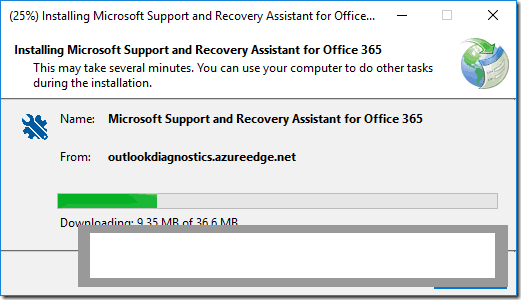
Accept the Microsoft software license agreement and allow the setup wizard to download the core diagnostic files.
-
Once installation finishes, the application launches automatically and places a shortcut in your Start Menu.
System Requirement Note: The utility requires Microsoft .NET Framework 4.5 or higher and works across Windows 11, Windows 10, and supported Windows Server builds.
Tips for Using Microsoft Support and Recovery Assistant PC Software
Always run the application on the specific PC experiencing the technical issue. Because the tool inspects local registry keys, identity tokens, and app profiles, running it on a different machine will not produce accurate diagnostic results.
Sign in with your primary work or school account when prompted. Providing account authentication allows the assistant to test Exchange server connectivity, mailbox permissions, and subscription status directly against Microsoft cloud endpoints.
Save the generated diagnostic log files if an automated fix does not resolve your problem. These log files contain detailed environment data that can be shared with your company's IT helpdesk or Microsoft Support to speed up ticket resolution.
Modern Alternatives
Depending on whether you need operating system repairs, network diagnostic tools, or basic app uninstallers, several native alternatives exist.
Built-in Windows Troubleshooters (found in Windows Settings under System > Troubleshoot) provide native diagnostic tools for hardware devices, network adapters, Windows Update, and audio playback without needing external downloads.
Microsoft Setup ProdOffScrub (Office Uninstall Tool) is an official standalone script engine designed to scrub corrupted or stuck Microsoft 365 and Office installations completely from a PC when standard Control Panel uninstallation fails.
OffScrub and Microsoft 365 Admin Center Diagnostics serve enterprise administrators directly within the cloud web portal, allowing IT teams to run tenant-level checks on mail flow, DNS records, and user licenses without touching local endpoint PCs.
Who Should Use Microsoft Support and Recovery Assistant PC Software?
This application is ideal for Microsoft 365 subscribers, remote employees, system administrators, and helpdesk technicians who need a reliable tool to resolve Office and Outlook errors. If you are dealing with activation failures, corrupted email profiles, or OneDrive sync blocks, it provides an efficient way to fix those issues.
However, users seeking general PC hardware diagnostics, registry defragmentation, or non-Microsoft software repairs should look toward hardware testing utilities or built-in Windows system tools instead.
FAQ
Is Microsoft Support and Recovery Assistant PC Software free?
Yes. The software is provided completely free of charge by Microsoft for personal, commercial, and enterprise troubleshooting.
Does the software work offline?
No. The application requires an active internet connection to authenticate account credentials, download current diagnostic rules, and verify cloud service states.
Can the tool fix Outlook email syncing issues?
Yes. The assistant includes dedicated diagnostic modules specifically designed to identify and fix Exchange server connection drops, corrupted OST files, and credential prompts in Outlook.
Is there a version available for Mac or mobile devices?
No. The desktop assistant application is developed exclusively for Microsoft Windows operating systems.
Conclusion
Microsoft Support and Recovery Assistant PC Software offers an efficient, automated solution for diagnosing and resolving Microsoft 365, Office, and Windows configuration errors. By automating complex diagnostic checks, account credential resets, and profile repairs, it removes friction from technical troubleshooting.
While its scope is strictly focused on the Microsoft software ecosystem and requires internet connectivity, its official reliability, enterprise command-line support, and zero-cost model make it an essential utility. For anyone struggling with persistent Outlook, activation, or syncing issues, it provides a practical workspace to restore normal system performance.
💬 0 Comments
✍ Leave a Comment